

Keep the request and its context together
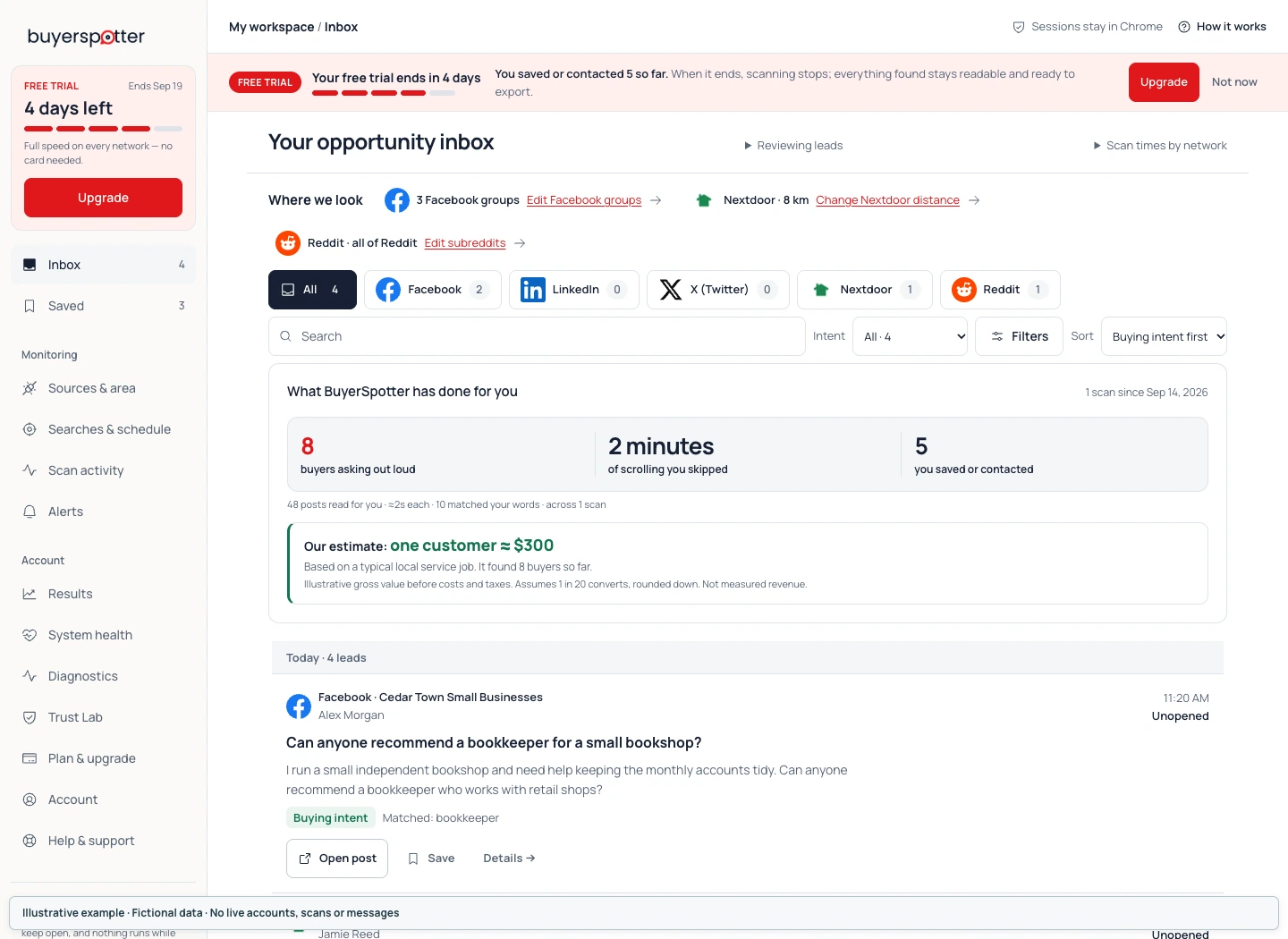
Businesses can spend a lot of time checking communities and searches for relevant requests. BuyerSpotter reads the sources you choose and presents matching posts with their original context and an explanation.
The purpose is to help you decide which conversations deserve a closer look. You open the source, check the current discussion and choose whether a response makes sense.
Ask about your workflow before you try it
Email hello@buyerspotter.com with what you sell and the sources you want to check. We can discuss whether the workflow fits your business, including what the extension leaves for you to review.
For existing customers, the BuyerSpotter account provides account access. The contact page explains what to include with a setup, billing or privacy question.
Built around a defined market and a real need
The workflow fits a business that knows the people it serves and can describe the work it wants to find. A local service can focus on requests in its area. A SaaS founder can look for a problem the product solves. An agency can use a specific service brief to review requests.
The local business, SaaS and agency guides explain how to frame those searches without treating every mention as a buying decision.
You decide how to use what you find
BuyerSpotter works through sources your signed-in account can already access. It does not sell contact data or post and message on your behalf. A result is a conversation to review, with no guaranteed sale attached.
Read how it works for the setup and review process, or contact us if you want to check whether your intended use fits.
How to read our guides and examples
BuyerSpotter publishes the guides on this site. They describe how to choose search phrases, evaluate a request and decide what to do next. A BuyerSpotter byline identifies the publisher; it is not an independent product review.
Example requests, walkthrough data and diagrams illustrate a decision or a workflow. Unless an item explicitly identifies a dated observation, treat it as an example, not a live post, customer testimonial or measured result.
Guides link to official product documentation or other named sources for the claims they discuss. Competitor comparisons identify the information available from those sources and distinguish it from a hands-on test. A vendor's description does not prove an outcome for BuyerSpotter.
We do not report keyword search volumes when they have not been measured. The search phrases in our tools and guides are ideas to test against the language in your sources, not forecasts of demand or guaranteed rankings.
All guides are listed in the resource library.
Report a detail that needs correcting
Product interfaces, prices and source access can change. If a guide no longer matches what you see, email hello@buyerspotter.com with the page address, the statement in question and the documentation or product version you are using.
Please remove private posts, personal details and credentials from any example you send. A page's update date describes its editorial revision; it does not mean every source or workflow was tested again on that date.