

Short answer
Google Alerts emails you when new results for a topic appear in Google Search, as they happen, daily or weekly, with no paid plan. It cannot show posts that are not public web pages, such as posts inside private Facebook groups. BuyerSpotter reads Facebook groups, Reddit, X, LinkedIn and Nextdoor from your own Chrome for $39 a month.
Cover the conversations Google Alerts cannot see. 7-day trial, no card needed.
Add to ChromeKey takeaways
- Google Alerts follows new results in Google Search. You choose sources such as news, blogs, web, video and discussions, and how often to get an email.
- Google lists no price or paid plan for Alerts.
- Posts in private Facebook groups, most Nextdoor posts and many social posts are not public web pages, so they do not show up in Google Alerts.
- BuyerSpotter reads those conversations through your own signed-in Chrome and looks for people asking to buy.
- Keep Google Alerts for news and press. Use BuyerSpotter for requests in groups and social networks.
What Google Alerts does well
Google's help page (opens a new tab) sums it up: "You can get emails when new results for a topic show up in Google Search." On the Alerts page (opens a new tab) you can set:
- How often: as it happens, at most once a day, or at most once a week.
- Sources: automatic, news, blogs, web, video, books, discussions or finance.
- Language and region.
- How many: only the best results, or all results.
Alerts arrive by email. Google lists no price or paid plan. For press mentions, competitor news and new articles on a topic, it is hard to beat.
Checked on 25 November 2026 on Google's Alerts page and its help page. Prices and features change, so check the vendor's page before you buy. BuyerSpotter has not run a side-by-side test. If something here is out of date, tell us at hello@buyerspotter.com.
What Google Alerts cannot see
Google Alerts can only report a page after Google Search has found it. Many of the posts where people ask for a recommendation never become a public web page:
- Posts inside private Facebook groups, which only members can open.
- Most Nextdoor posts, which are shared with neighbors.
- Many posts on X and LinkedIn, which Google may index late, partly or not at all.
Even when a post is indexed, the alert can arrive after the conversation has moved on and the person has already picked someone.

Google Alerts vs BuyerSpotter
Swipe sideways for more columns, if needed.
| Google Alerts | BuyerSpotter | |
|---|---|---|
| What it reads | New results in Google Search | Facebook groups you belong to, Reddit, X (Twitter), LinkedIn and Nextdoor |
| Private Facebook groups | No | Yes, groups your account belongs to |
| What it looks for | Any new result for your topic | Posts where someone asks to buy, hire or get a recommendation |
| How often | As it happens, daily or weekly | Every 15, 30 or 45 minutes while Chrome is open |
| Delivery | Desktop, Telegram or webhook, plus one inbox | |
| Where it runs | Google's servers; nothing to install | Chrome extension on your computer |
| Price | No price listed | $39 a month or $390 a year, 7-day trial with no card |
When Google Alerts is enough
Google Alerts is enough if
- you want news, blog posts and press about a name or topic
- an email once a day is fast enough
- you do not want to pay or install anything
- your buyers search Google rather than ask in groups
Add BuyerSpotter if
- your customers ask for recommendations in Facebook groups or on Nextdoor
- you want to see Reddit, X and LinkedIn requests within the hour
- you want requests sorted from noise in one inbox
- you reply to people yourself and want the original post one click away
BuyerSpotter also uses Google for one thing: once a day it lists the Reddit threads that rank on Google for your Reddit phrases, so you can add a useful answer where people keep reading.
How BuyerSpotter works
BuyerSpotter is a Chrome extension that monitors Facebook groups, Reddit, LinkedIn, X (Twitter) and Nextdoor for posts where someone asks to buy, hire or get a recommendation, and alerts you so you can reply yourself. You write up to 10 phrases a customer would post, such as "can anyone recommend a roofer", choose your Facebook groups and Nextdoor distance, and switch on the other networks. Each match shows the phrase it matched and links to the original post.
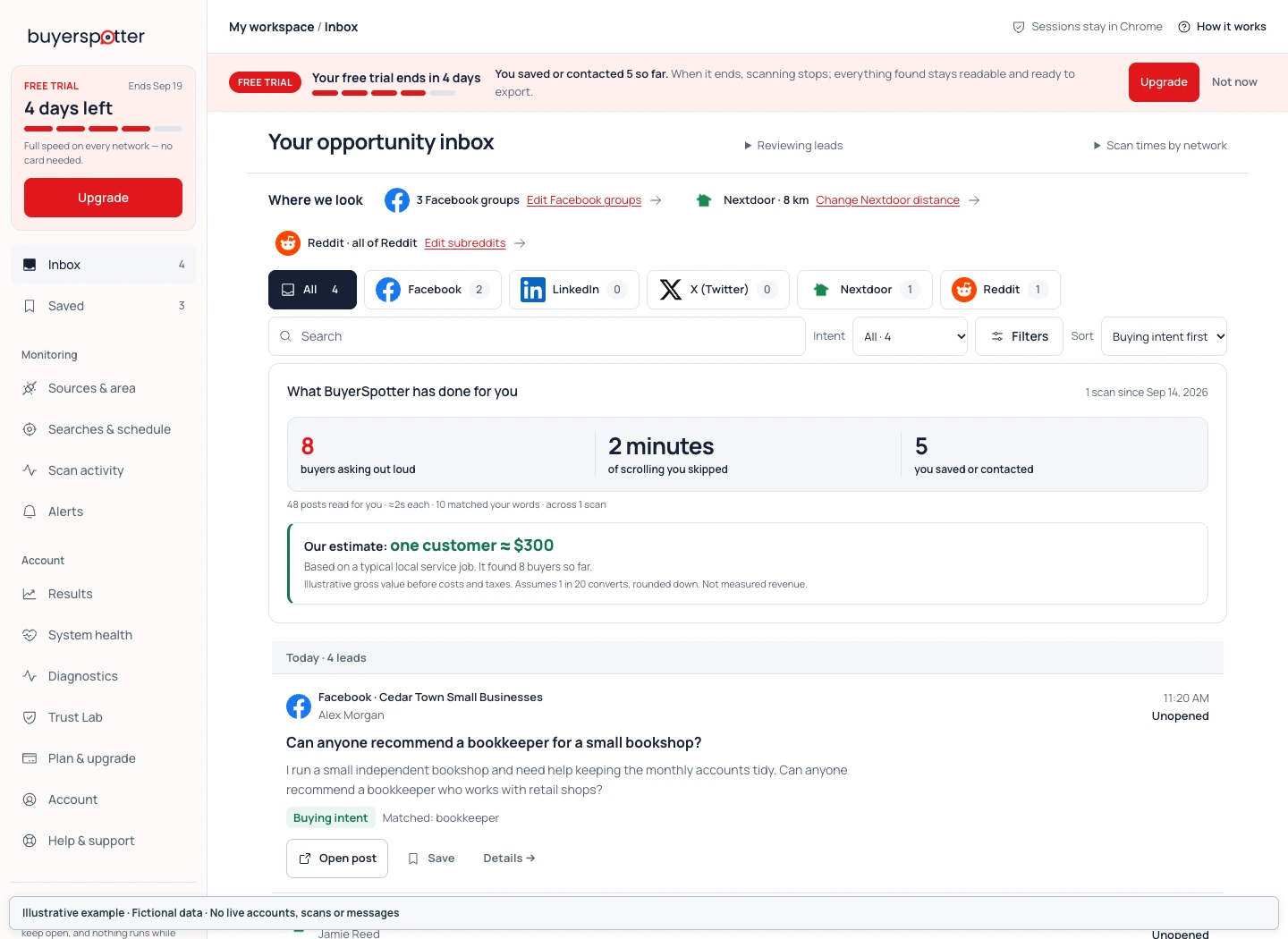
Turning a Google Alert into a BuyerSpotter search
- Keep your Google Alerts for news. Nothing to cancel. They do a different job.
- Rewrite the topic as a request. An alert on "roofing" becomes phrases like "recommend a roofer" or "need a roofer". The free keyword builder helps.
- Choose where your buyers ask. Pick the local Facebook groups you belong to, set a Nextdoor distance, and keep Reddit on if your customers use it.
- Turn on an alert and review a week. Count the requests you could answer that never reached your Google Alerts email.
Frequently asked questions
Is Google Alerts free?
Google lists no price or paid plan for Google Alerts on its Alerts page or help page.
Does Google Alerts monitor Facebook groups?
It can only report pages that appear in Google Search. Posts inside private Facebook groups are visible only to members, so they do not appear.
What is the best Google Alerts alternative for social media?
It depends on the job. For brand mentions across many public platforms, a social listening tool fits. For people asking to buy in Facebook groups, Reddit, X, LinkedIn and Nextdoor, BuyerSpotter is built for that.
Can I keep Google Alerts and use BuyerSpotter?
Yes. Google Alerts covers news and web pages, BuyerSpotter covers conversations in groups and social networks.
Does BuyerSpotter send email alerts?
No. It sends desktop, Telegram and webhook alerts. A webhook can pass alerts to a service you set up.