
Short answer
To create useful Twitter keyword alerts, first test your phrases in X search, define which posts count as relevant and connect a monitoring tool that supports your operating requirements. An alert should lead to reviewing the original thread, not an automatic reply.
Let BuyerSpotter watch your groups and searches for you. 7-day trial, no card needed.
Add to ChromeKey takeaways
- Test request language before turning on notifications.
- Keep brand alerts and buyer-request alerts separate.
- Check the full thread and current need before replying.
- A browser monitor needs Chrome and the required session available.
Decide what should interrupt you
An alert for your company name serves a different purpose from an alert for a buyer asking for alternatives. Give each a separate brief. Brand monitoring asks who mentioned you and why. Buyer-request monitoring asks whether someone has a current need that your product can reasonably satisfy. A popular post about your category may be useful research without needing an immediate sales reply.
For a scheduling product, define the target as a small team requesting a replacement for its booking workflow. Include one necessary feature, such as calendar compatibility, and one disqualifier, such as a requirement you do not support. That brief makes it easier to decide which alert deserves attention after it arrives.
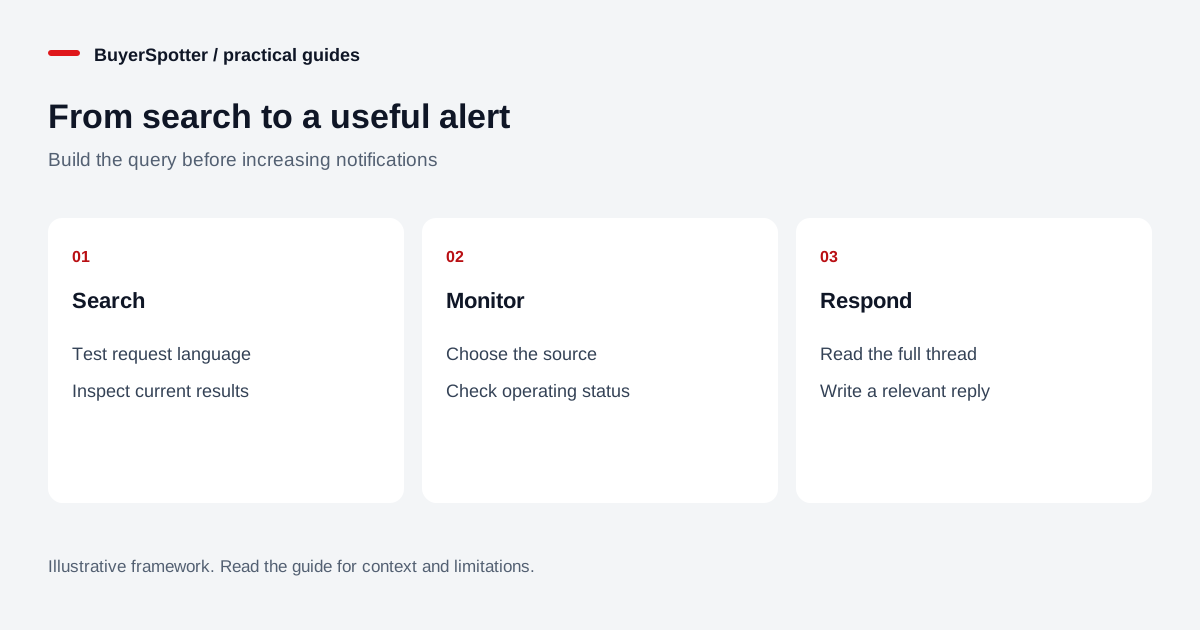
Read the diagram as text
- Search
- Test request language
- Inspect current results
- Monitor
- Choose the source
- Check operating status
- Respond
- Read the full thread
- Write a relevant reply

Test your words in X before configuring a monitor
X’s advanced-search documentation describes word, exact-phrase, exclusion, account and date fields for signed-in search. Use the visible controls to test a small set of phrases. The network’s search fields are separate from the settings accepted by a third-party monitoring tool.
Begin with plain-language searches such as “recommend booking software,” “alternative to scheduling tool,” or “looking for calendar app.” Replace the generic terms with the vocabulary your buyers actually use. Inspect both strong examples and near misses. A founder announcing a new calendar app is different from a studio owner asking which one to use, even when the same product words appear.
Record the search, the time of the check and a few representative links. Your goal is to understand the results rather than claim that a quiet search means nobody has the problem. Rephrase one term and compare the kinds of posts you see.
Build a compact phrase plan
Swipe sideways for more columns, if needed.
| Monitoring purpose | Example phrase | Question before replying |
|---|---|---|
| Explicit recommendation | recommend booking software | Which workflow and integrations are required? |
| Replacement research | alternative to [product] | What limitation is prompting the switch? |
| Service request | looking for a Shopify developer | Is this paid project work, recruitment or general advice? |
| Brand mention | Your exact brand name | Is this support, feedback or an unrelated name match? |
These are editorial examples, not recommended queries for every business. Keep a brief note explaining why each phrase belongs. Remove phrases that cannot be connected to an offer or research question. Add an exclusion only after repeated unwanted examples justify it, then check that your good examples still match.
Connect the search to a review routine
In BuyerSpotter’s X monitoring workflow, add your approved phrases, enable the relevant source and check that the required X session is available in desktop Chrome. Use the current setup guide for the controls in your installed version. Verify a successful scan rather than assuming an enabled switch means fresh results.
Choose a review schedule you can sustain. If every notification is ignored, sending more notifications is not the first fix. Separate time-sensitive requests from research material, and decide who owns each queue. When using an external alert destination, consider what request content is forwarded there and which people can read it.
BuyerSpotter requires Chrome and its source sessions to remain available. When you return after a closed browser or interrupted session, inspect the latest source status. A pause in scanning and a quiet market are different explanations for an empty inbox.
Read the current thread before writing
Consider this fictional request: “Our studio needs booking software with two-way calendar sync. What do you recommend?” First check the date and replies. The author may have already chosen a product or added an important requirement. Confirm that your tool supports the exact integration, rather than treating “calendar” as sufficient evidence.
A relevant reply could be: “I work on a booking tool. Which calendar provider do you need to sync, and do you need changes in either calendar to update the other? That distinction affects the options.” If your product fits, explain why and disclose your connection. If it does not, avoid steering the person toward it anyway.
Do not copy the same pitch under every matching post. Monitoring provides context for a human response; it does not establish permission to contact someone privately or prove that they want a sales conversation.
Diagnose missing or noisy alerts
When a known post is missing, check the original post’s availability, the saved phrase, exclusions, source status and timing. X explains that search results are filtered, so an accessible post and a searchable post are not always the same thing. Avoid treating any search-based tool as an exhaustive archive.
When alerts are noisy, label a small review sample by reason: seller promotion, employment, wrong customer, old request or genuine fit. Address the largest repeated reason first. When results are relevant but conversations do not progress, examine your offer and reply instead of broadening the search automatically. The monitoring step and the sales step solve different problems.
Sources and next step
X’s advanced-search and search-restriction documentation was reviewed on 15 November 2026. The examples and review process are editorial guidance, not measured customer results. For a purchasing decision rather than setup, use the Twitter monitoring tools evaluation checklist. BuyerSpotter’s current plan and trial details are on the pricing page.
Examples, sources and image method
Original worked examples and worksheets by BuyerSpotter. Requests and sample datasets are fictional. References are linked where used.