
Short answer
Choose a Twitter monitoring tool by testing the kind of posts you need, source access, operating hours, alert delivery and review effort. Compare tools with the same phrases and observation window, and keep unknown coverage separate from observed results.
Let BuyerSpotter watch your groups and searches for you. 7-day trial, no card needed.
Add to ChromeKey takeaways
- Separate manual search, browser monitoring and hosted monitoring.
- Ask what is monitored and what is excluded.
- Evaluate relevance and operating fit with the same trial brief.
- Treat vendor claims as claims until your own test supports them.
Specify the job before building a shortlist
A solo founder searching for requests for a niche tool needs a different workflow from a brand team handling high-volume mentions. Write down the outputs you need: a shortlist of current buyer requests, a research archive, customer support triage or reporting. Do not score all of these equally just because a vendor includes them in a feature table.
Then describe the operating conditions. Who reviews results? At what hours? Does a browser stay open during those hours? Do several people need the same queue, or is one person responsible? These details can rule a tool in or out before a trial, and they are easier to verify than an abstract promise to “find more leads.”
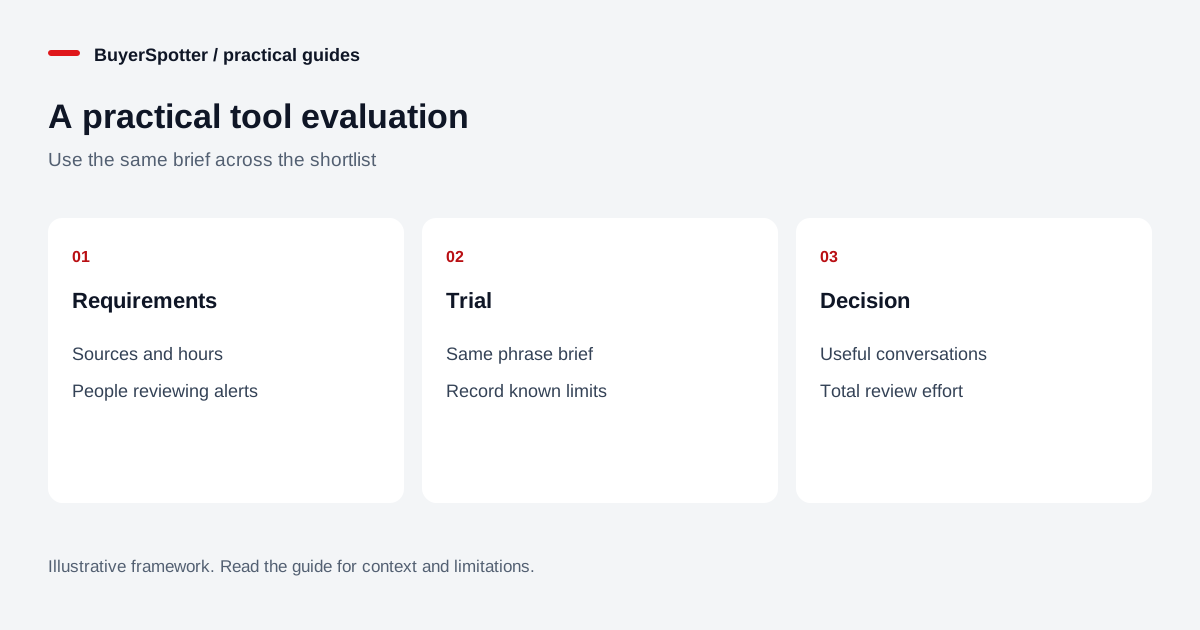
Read the diagram as text
- Requirements
- Sources and hours
- People reviewing alerts
- Trial
- Same phrase brief
- Record known limits
- Decision
- Useful conversations
- Total review effort

Compare approaches, not just names
Swipe sideways for more columns, if needed.
| Approach | Best reason to consider it | What to establish |
|---|---|---|
| Manual X search | A small number of searches and direct inspection | Whether you can repeat the checks consistently |
| Browser-based monitoring | Repeated checks alongside your desktop workflow | Browser uptime, session access and supported sources |
| Hosted monitoring | A requirement to run independently of your computer | Actual source access, schedule, limits and delivery |
| Research or analytics platform | Aggregated reporting and historical analysis | Whether individual actionable requests are included |
These describe operating models, not a claim that every product in a category behaves identically. A hosted service can have narrower coverage than expected, and a browser tool can be appropriate when monitoring fits your working day. Ask for the specific implementation and limitations rather than inferring them from the label.
Use six questions to narrow the choice
- What is collected? Distinguish posts, replies, comments, mentions and historical content. “X monitoring” is too vague on its own.
- What access is required? Establish whether your own signed-in session or a separate connection is involved.
- When does it operate? Ask what happens when the browser closes, a session expires or the network fails.
- What creates an alert? Determine how phrases, exclusions, matching logic and duplicate handling affect the queue.
- Can you inspect the evidence? A result should let you open the original and understand why it appeared.
- What happens to the data? Review retention, exports and external destinations that receive request content.
Keep “not verified” as a valid answer. Filling a comparison table with guesses makes a shortlist look complete while concealing the risk that matters to your actual workflow.
Run a trial that can answer your question
Choose one business brief and use it consistently. For example: a product helping small studios reduce scheduling conflicts. Record the request phrases, exclusions, source scope, test dates and operating hours. Keep known relevant posts as a spot-check set, but do not assume that finding them proves complete coverage of the platform.
During the trial, label reviewed results as useful, uncertain or irrelevant and record why. Note time spent reviewing and whether the original links remain usable. Check delivery to the destination you plan to use, not only the vendor’s dashboard. If the browser was off for part of the test, record that rather than comparing it with another tool that operated throughout.
A sample of ten posts is a small sample. It can reveal obvious mismatches and usability issues, but it cannot establish a dependable conversion rate. Repeat the evaluation when the sample does not contain enough relevant activity to support a decision.
Make the scorecard explain the tradeoff
Use a short worksheet with columns for requirement, observation, evidence link and decision. Write “original post opens from the alert” or “needed a session refresh” instead of an unexplained score out of ten. This gives a teammate enough context to understand why a tool passed or failed a requirement.
Track the full cost of the workflow: subscription price, review effort, setup maintenance and missed coverage during unavailable hours. Do not calculate a return on investment from hypothetical customers. If you observed an actual qualified conversation, record it separately from a sale. A tool that sends fewer but more relevant alerts may fit your capacity better, but that conclusion needs your sample, not a general slogan.
When BuyerSpotter is a reasonable option
BuyerSpotter is worth evaluating when you want to review X requests alongside other supported social sources in a desktop Chrome inbox. It checks your selected sources and phrases while the browser and necessary sessions are available. You inspect the request and decide whether to reply; it does not run automatic outreach.
It is not a fit for a requirement that scanning continue while your computer is off. Premium is $39 per month or $390 per year. The seven-day no-card trial begins after the first successful live scan, so use that period to verify your own setup, source access and review workload. The setup guide provides a first phrase plan.
Sources and comparison method
This is an evaluation framework, not a ranked list or hands-on benchmark of competing products. X’s advanced-search guide and search restrictions were reviewed on 15 November 2026. X search can filter results; no completeness claim is made here. Check each shortlisted vendor’s current plan, coverage and terms before purchasing.
Examples, sources and image method
Original worked examples and worksheets by BuyerSpotter. Requests and sample datasets are fictional. References are linked where used.