

Short answer
BuyerSpotter gives you Twitter keyword alerts by running your phrases as X searches through the account you are signed into in Chrome. New matching posts are graded by buyer intent, collected in one inbox and can trigger a desktop, Telegram or webhook alert. Checks run as often as every 15 minutes while Chrome is open.
Get these alerts for your own groups and searches. 5-day trial, no card needed.
Add to ChromeKey takeaways
- Your search phrases run as X (Twitter) searches through your own signed-in session.
- Alerts go to desktop notifications, a Telegram bot or a webhook URL.
- Buyer-intent grading ranks "any recommendations for…" above promotions and news.
- The same phrases also cover Facebook groups, Reddit, LinkedIn and Nextdoor.
How Twitter keyword alerts work
BuyerSpotter is a Chrome extension that monitors Facebook groups, Reddit, LinkedIn, X (Twitter) and Nextdoor for posts where someone asks to buy, hire or get a recommendation, and alerts you so you can reply yourself. For X (Twitter), each of your phrases runs as a search through the X account already signed in to Chrome. BuyerSpotter checks those searches on a schedule, adds new matching posts to your inbox and grades each one by buyer intent.
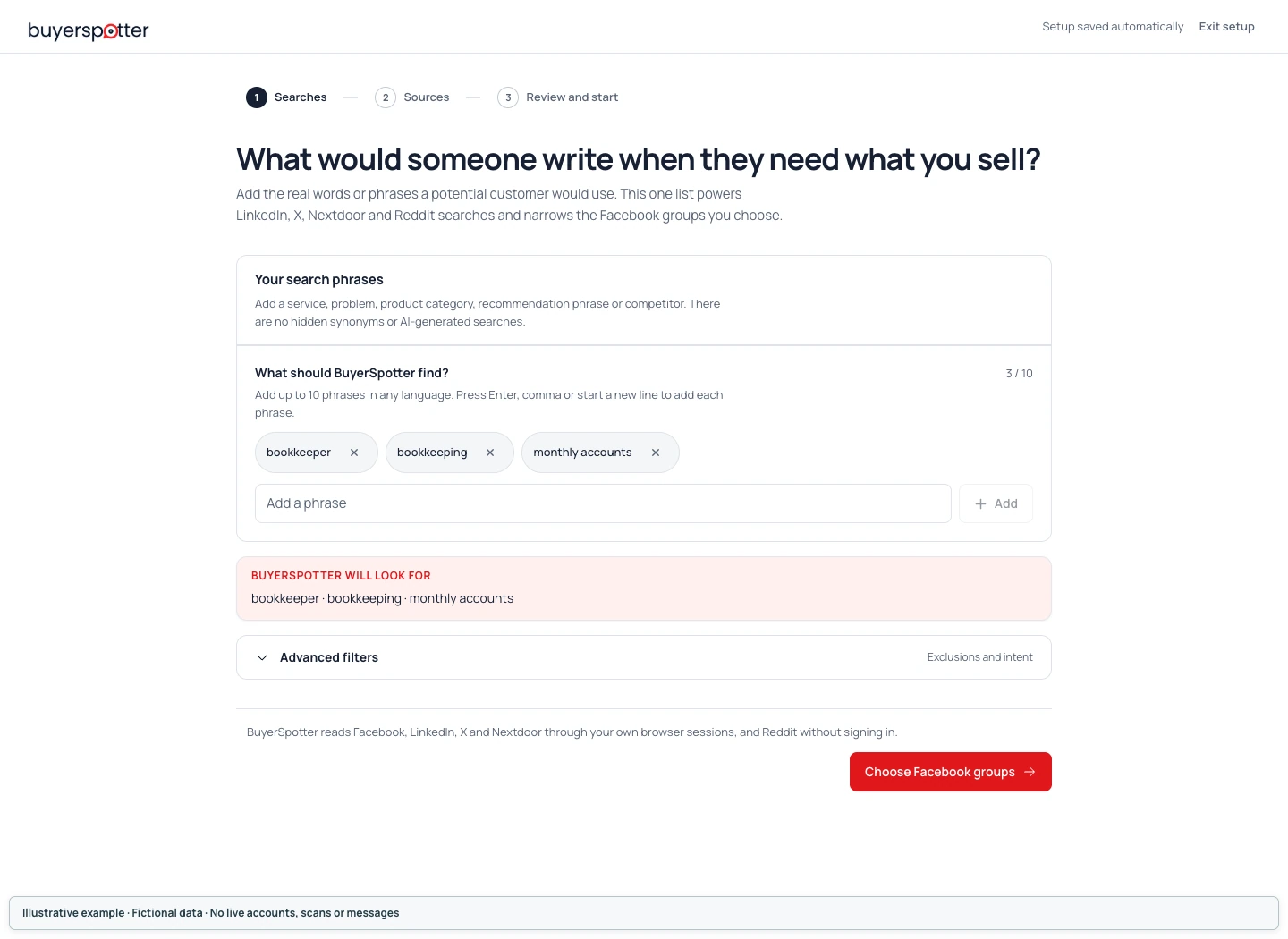
Phrases that find buyers on X
Short request phrases work better than product names alone. Compare "CRM" with "what CRM do you use" or "any recommendations for a CRM". Add exclusions such as "hiring" or "giveaway" to skip noise. The guide to X advanced search for buyer requests shows how to test a search before you rely on it, and the free keyword builder suggests phrases for your offer.
Where the alerts go
Connect desktop notifications, a Telegram bot or any webhook URL. Alerts are optional; matches stay in the inbox either way. There is no native Slack sign-in; a webhook can post to a destination you configure.
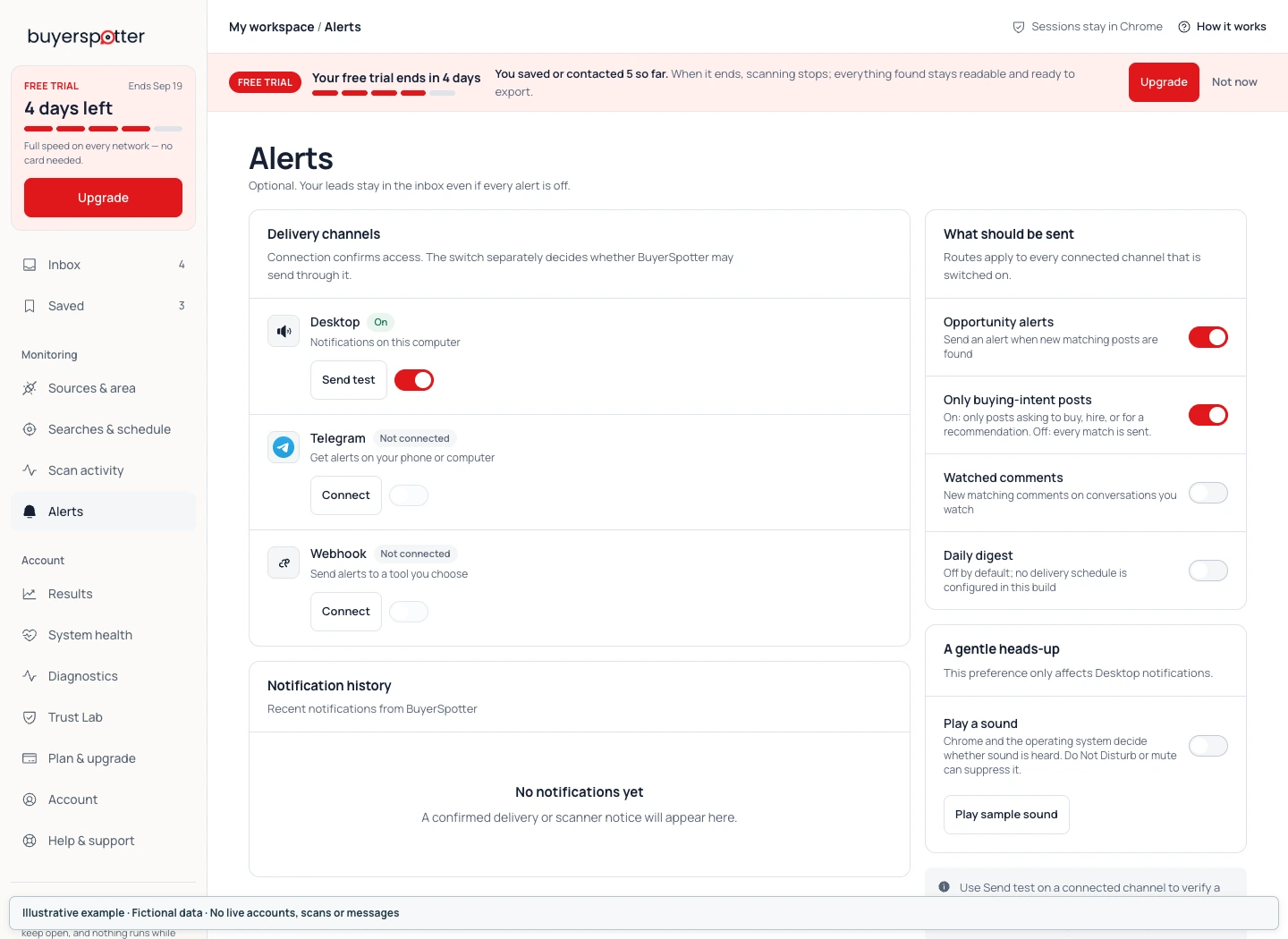
What to expect
Results depend on what X search returns to your account. Checks run every 15, 30 or 45 minutes depending on setup size, and only while Chrome is open. BuyerSpotter is read-only: it never posts, likes or sends direct messages.
If your buyers are more likely to ask on LinkedIn, LinkedIn monitoring works the same way; SaaS teams can start with the SaaS use case.
Frequently asked questions
Does X (Twitter) have keyword alerts?
X lets you save searches, but it does not notify you when a new post matches. A tool such as BuyerSpotter runs the search on a schedule and sends you an alert.
How do I set up Twitter alerts for keywords?
Install BuyerSpotter in desktop Chrome, add your phrases, make sure you are signed in to X in the same Chrome profile, and connect a desktop, Telegram or webhook alert.
Do I need an X API key?
No. Searches run through your own signed-in session in Chrome.
How often does it check X?
As often as every 15 minutes for a small setup; larger setups use 30 or 45 minutes.
Can it reply or DM for me?
No. You open the post on X and reply yourself.