

Short answer
Tree service leads spike after storms, when homeowners post "tree fell on our fence, who can remove it?" in neighborhood Facebook groups and on Nextdoor. Watch for removal, trimming and stump phrases in the area you serve, get an alert on your phone, and reply with local credentials rather than pressure. BuyerSpotter finds the posts; you reply.
Get an alert when a neighbor asks for your trade. 5-day trial, no card needed.
Add to ChromeKey takeaways
- Storm posts are urgent and short-lived; a small setup checks every 15 minutes while Chrome is open.
- Monitor removal, trimming, stump and arborist wording; exclude "christmas tree" and "family tree".
- Neighbors warn each other about out-of-town storm crews, so local credentials and insurance matter in replies.
- Paid leads and community requests can work together, especially in peak season.
What homeowners write when they need a tree service
Tree requests split into urgent storm posts and planned work. These fictional examples show both:
- "Big oak limb came down on our fence last night. Who can remove it this week?"
- "Tree fell across the driveway after the storm, need someone ASAP."
- "Looking for an arborist to look at a leaning maple before winter."
- "Need a quote for stump grinding, three stumps in the backyard."
- "Recommendations for tree trimming? Branches are over the roof."
Phrases to monitor: "tree removal", "tree fell", "tree service", "arborist", "stump grinding" and "tree trimming". Useful exclusions are "christmas tree" and "family tree". A multiword exclusion matches its words anywhere in the post, in any order, so test it against a real storm post before you rely on it. The keyword builder can suggest more wording.
Trees on or near power lines are a utility matter first. If a post describes that, point the author to their utility before offering anything.
Planned work is steadier. Owners ask about pruning in the dormant season, removing a dead tree before it falls, clearing branches off a roof before winter, and grinding stumps left from earlier removals. These posts are less urgent and often collect several quotes, so a clear reply that explains what you would check on a visit can stand out a day later.
Storm season: speed without storm-chasing
After a storm, requests arrive in bursts and are often filled within a day. Three settings help:
- Keep the setup small. With up to 7 groups and 5 phrases, BuyerSpotter checks every 15 minutes. Larger setups check every 30 or 45 minutes. See the schedule chapter.
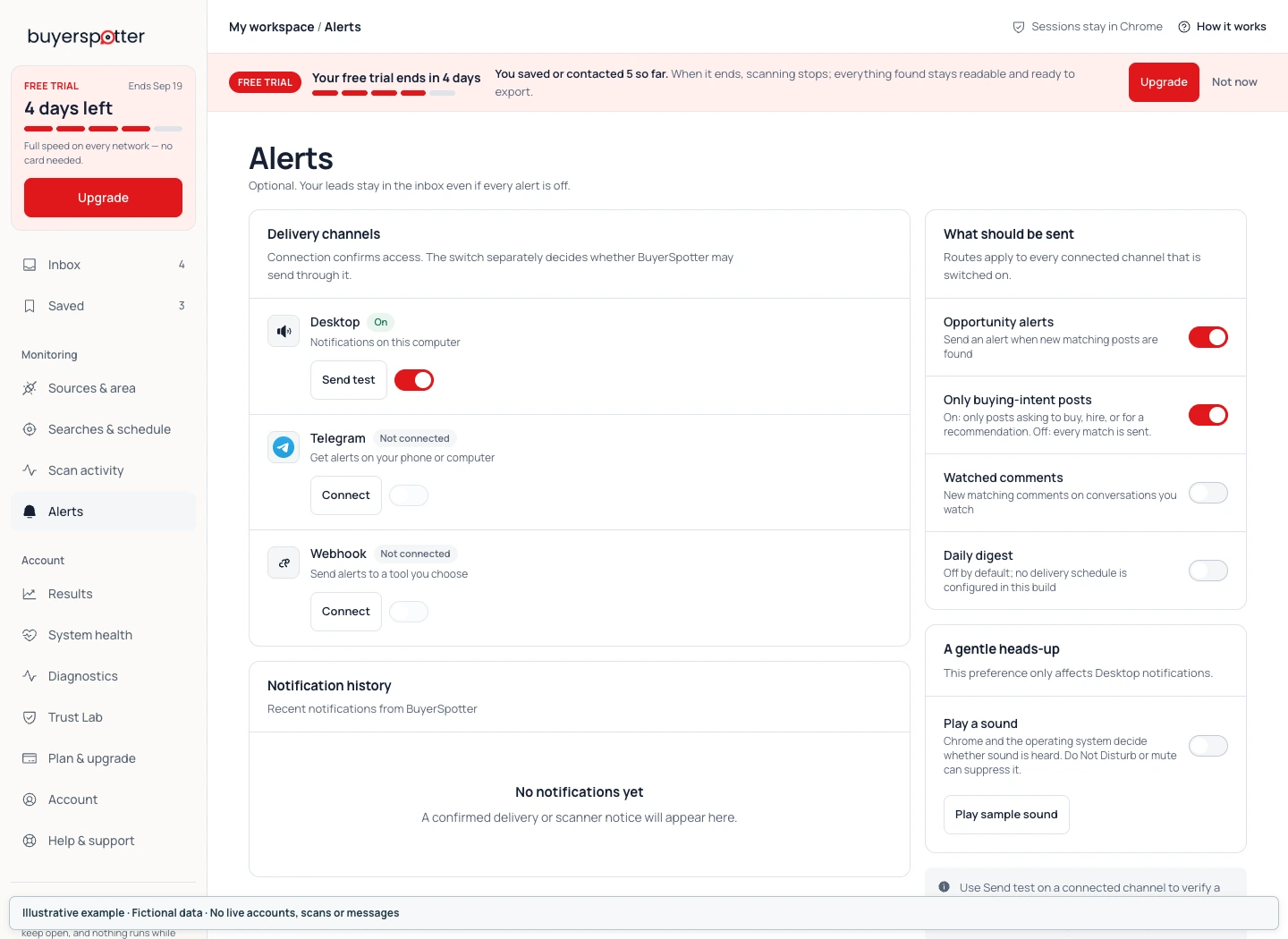
- Send alerts to your phone. A Telegram bot reaches you on a job site; desktop and webhook alerts are also available. Test delivery before storm season.
- Keep Chrome running. BuyerSpotter is not a cloud service; checks run only while Chrome is open on your computer. If the power is out where the computer is, it is not checking.
Tone matters as much as speed. After storms, neighbors often warn each other about unfamiliar crews asking for cash up front. A reply that names your town, your insurance and a realistic visit time reads as a local business. Do not promise what an insurance policy will cover.
Where tree requests appear
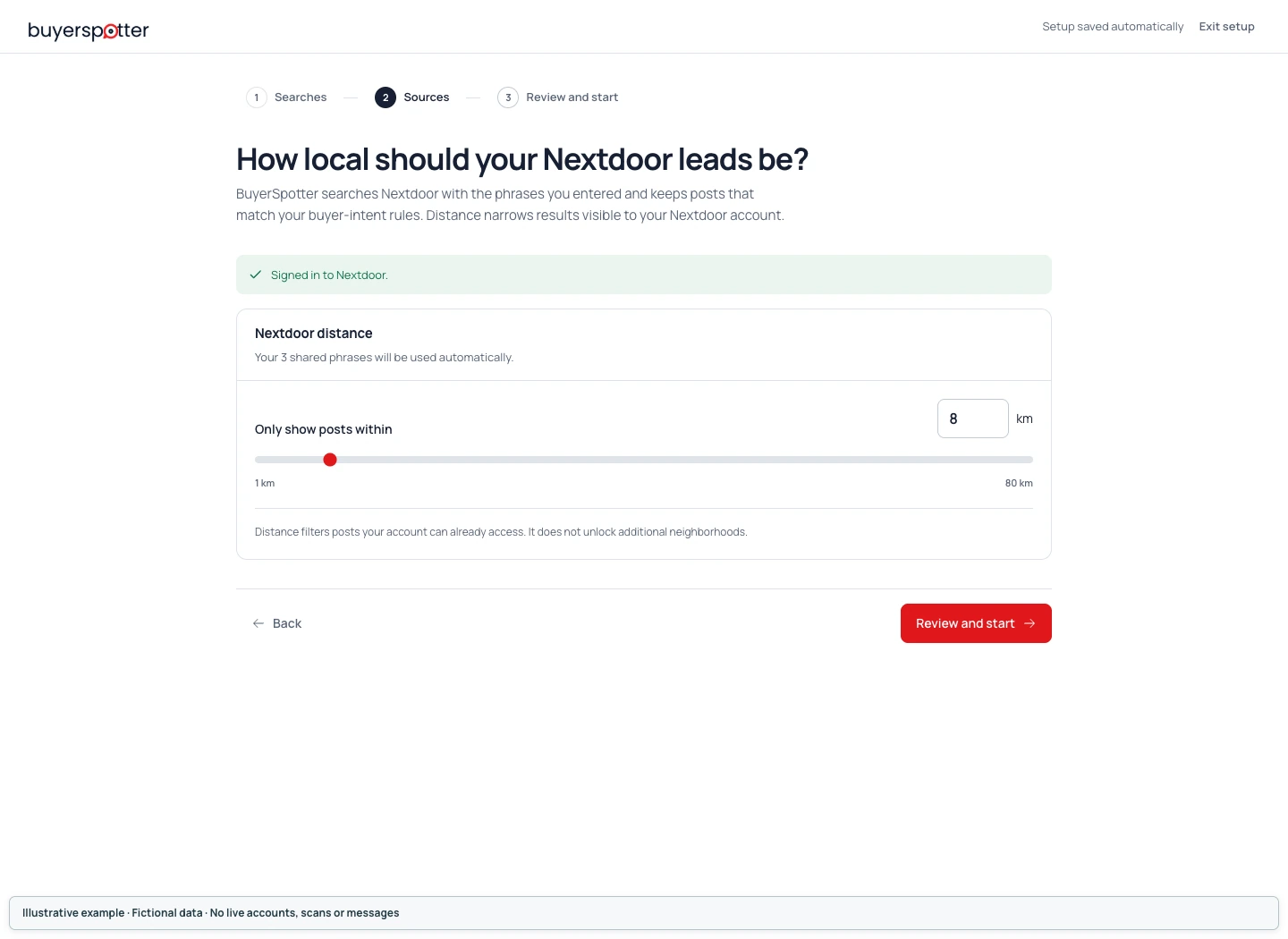
Nextdoor is especially active after storms because posts are grouped by neighborhood. Set the radius to the area your crew can actually reach; BuyerSpotter reads Nextdoor within 1 to 80 km (about 50 miles). The Nextdoor buyer requests guide covers which posts are worth answering.
Neighborhood Facebook groups carry the same requests, plus photos that help you judge the job. City subreddits have fewer requests, though storm threads sometimes collect several.
How BuyerSpotter fits a tree service
BuyerSpotter is a Chrome extension that monitors Facebook groups, Reddit, LinkedIn, X (Twitter) and Nextdoor for posts where someone asks to buy, hire or get a recommendation, and alerts you so you can reply yourself. Each match is graded with rule-based buyer-intent signals, so "who can remove this tree" ranks above a post about a tree-planting event. Every match stays in one inbox, where you can mark it Saved, Contacted or Won and export it to CSV at the end of the season.
When you reply, say it is your business, ask for a photo if the post has none and mention access: whether a truck can reach the back yard changes the quote. Answer in the thread unless the author asks for a message. The guide on responding to local buyer posts has more examples.
Paid tree service leads vs. community requests
Exclusive and shared lead services can keep crews busy in slow months and in areas where you have no local presence. They usually charge per lead, prices vary by vendor and area, and no service can promise how many leads become jobs. Community requests cost nothing per request and show photos and neighbors' comments, but they depend on how active your local groups are, and competitors see them too.
In peak season, many tree services use both. The home improvement leads hub explains when paying for leads makes sense, and BuyerSpotter is $39 per month with a 5-day trial that needs no card.
Frequently asked questions
How do tree services get more leads after a storm?
Watch neighborhood Facebook groups and Nextdoor for removal requests in the hours after the storm, reply quickly with local credentials, and keep your Google Business Profile current.
What should a tree service search for?
"Tree removal", "tree fell", "stump grinding", "tree trimming" and "arborist". Exclude "christmas tree" and "family tree".
How fast will BuyerSpotter alert me?
With up to 7 groups and 5 phrases it checks every 15 minutes while Chrome is open. Alerts go to desktop, Telegram or a webhook.
Does it work if my computer is off?
No. BuyerSpotter runs in desktop Chrome and checks only while Chrome is open.
Can it reply to storm posts automatically?
No. It is read-only. You open the post and reply yourself, which also lets you judge the job first.