
Short answer
To review a Nextdoor request for local service fit, confirm the job location is inside your working area, the work and property type match what you do, and you can meet the timing. Read the current replies to see if help was found. To promote your own business in a reply, Nextdoor requires a Business account.
Let BuyerSpotter watch your groups and searches for you. 5-day trial, no card needed.
Add to ChromeKey takeaways
- Write down your service area before reviewing requests; use the job details, not the author's profile, to judge location.
- Record scope limits as carefully as distance, such as residential only or no installations.
- Do not diagnose a problem from a post or promise a time you have not checked.
- Nextdoor's self-promotion rules require a Business account to promote your own service, including in replies.
- BuyerSpotter watches Nextdoor posts within a radius of 1 to 80 km that you set.
Define the area you can actually serve
Write down your working service area before reviewing local requests. A place name in a post may refer to a property, a recommendation, or a different location from the author's profile. Use the job details to determine geography.
Record scope restrictions as carefully as distance. A business may handle residential repairs but not commercial work, inspections but not installations, or only certain types of equipment.
Use the Nextdoor distance setup instructions to apply your area in BuyerSpotter. The setting narrows the Nextdoor area your account can access; it does not change the scope of other networks.
To be alerted to new requests within your radius, see Nextdoor leads. The local buying signals guide helps you decide which posts matter.
Review the neighborhood and the current thread
Look at the source you can access and check whether the request remains open. Existing replies may show that the person has already found someone or needs a different trade. Follow the community and platform rules that apply to your account.
Start with a manageable set of relevant sources. When a location repeatedly produces work outside your area, correct the scope rather than answering first and discovering the distance later.
The recommendation-request guide shows how to distinguish an answerable request from one needing clarification. Apply the platform-specific business-account rules below before responding.

Check the details behind an urgent request
Example
"Water is pooling under our kitchen sink. Does anyone know a plumber available this afternoon in our neighborhood?"
A plumbing business can identify the general service and timing. It still needs the job location, actual availability, and enough information to understand the scope. Do not diagnose the cause from the post or promise a completion time you have not checked.
Handle the cases that look nearby but are not actionable
Swipe sideways for more columns, if needed.
| Fictional situation | What can go wrong | A useful recovery |
|---|---|---|
| The author lives nearby but asks about a relative's property elsewhere | Profile location is mistaken for job location | Use the stated job area, then leave or refer if outside scope |
| The request is urgent but the team is fully booked | A reply promises capacity that does not exist | Do not offer that appointment; refer only when appropriate |
| The author says the issue is resolved in a later comment | An old saved request triggers an unnecessary pitch | Record resolved and stop the outreach review |
| The source cannot be opened normally | No results are interpreted as no demand | Record an access limitation and resolve it through normal account controls |
When several results fail on area, inspect your source choices before changing the service description. When the area fits but the jobs are outside scope, improve the job definition. These are separate corrections, and neither requires guessing the cause of a customer's problem.
Compare two actual accessible requests using the local fit examples. If you are evaluating tools for this kind of work, the local monitoring comparison helps you record required sources and operating conditions without assuming that a website example proves coverage.
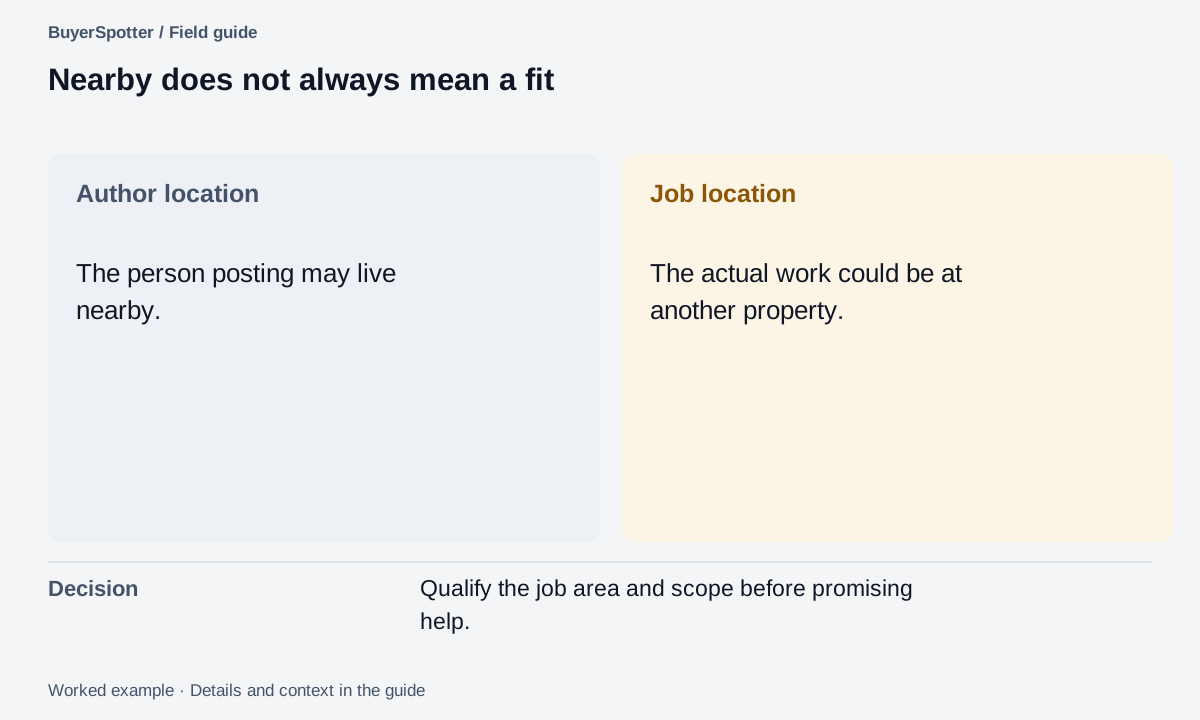
Read the example as text
- Author location
- The person posting may live nearby.
- Job location
- The actual work could be at another property.
- Decision
- Qualify the job area and scope before promising help.
Use a Business account to promote your own service
Nextdoor's official self-promotion guidance says promotion of your own business, including replying to a recommendation request, must use a Business account. Personal accounts may not post promotional comments or send unsolicited promotional direct messages. Source reviewed 6 September 2026.
Apply that rule before drafting a reply: identify whether you are recommending an unaffiliated business or promoting your own service. A genuine recommendation of another business is a different situation only when there is no affiliation, referral benefit, or conflict of interest. Do not present a connected business as an independent recommendation.
The service-area and scope checks in this guide are our suggested review process. They do not replace Nextdoor's account requirements. Recheck the current guidance if the account type or proposed response differs from the situation described here.
Walk through the sink request before offering a visit
Use the plumbing example above as a manual review exercise. It begins with a conversation your account can already open. It does not require a new account, a private data export or a way around neighborhood access.
- Open the original post and read the current replies. A neighbor may already have helped, or the author may have clarified that the property is outside your working area.
- Check the job area from the request, not just the author's profile. If the area is unknown, ask only for the location detail needed to judge service coverage, not a public home address.
- Confirm that the work is within your service scope. Pooling water does not establish a diagnosis from text alone.
- Check actual capacity for the requested afternoon before mentioning availability.
- Apply the Business-account and self-promotion rules above before posting a reply that promotes your service.
Worked example
Filled note: the post asks for plumbing help this afternoon; the precise job area is unclear; the cause has not been diagnosed; available capacity has not been checked. Decision: do not promise a repair. Verify capacity, then ask the one area question if a permitted reply would be useful.
If the account or current interface does not let you respond in the required business capacity, stop before posting a promotional reply. The source may still inform permitted market research, but it is not a reason to use a personal account as a workaround.
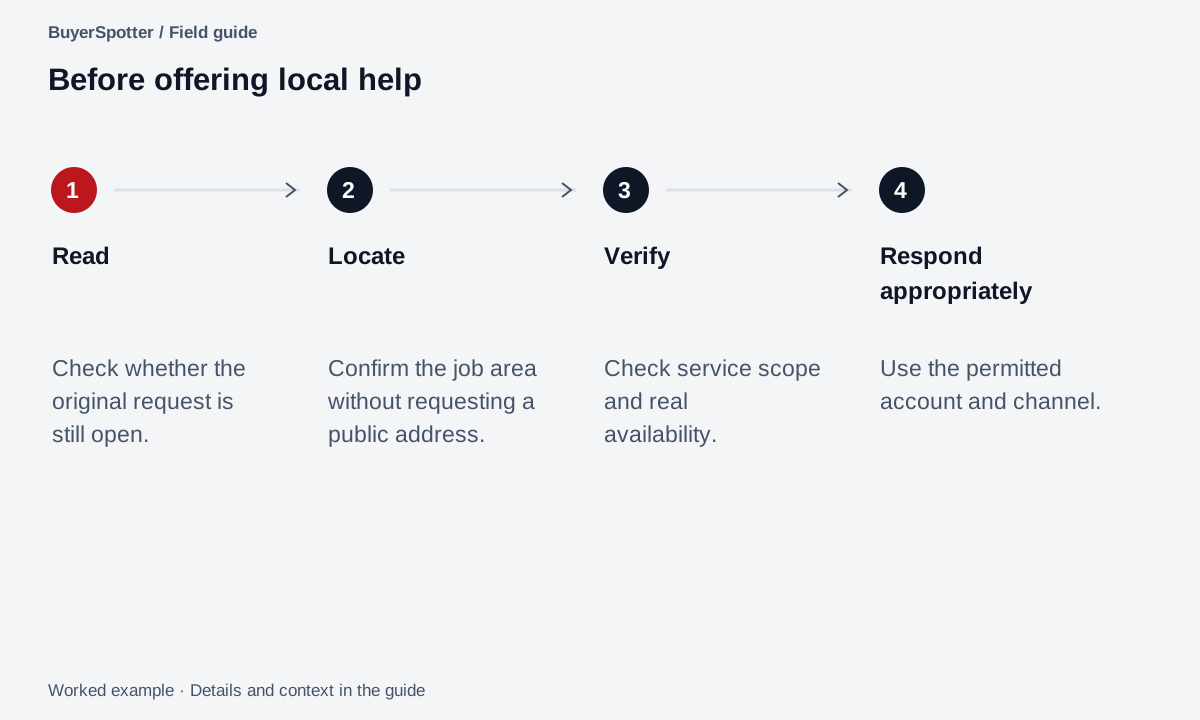
Read the example as text
- Read
- Check whether the original request is still open.
- Locate
- Confirm the job area without requesting a public address.
- Verify
- Check service scope and real availability.
- Respond appropriately
- Use the permitted account and channel.
Copy a neighborhood request checklist
Request: [original link]
Promoting our own service: [yes / no]
Business account ready for a promotional reply: [verify]
Job location stated: [area / unknown]
Service we provide: [specific fit]
Scope restriction: [property or equipment type]
Timing requested: [exact wording]
Availability verified: [when and by whom]
Current thread status: [open / resolved / unclear]
Reply rules checked: [record]
Next step: [clarifying question / relevant reply / leave]
Access does not imply complete coverage
Only assess sources your own account can already open. A neighborhood name in your plan does not prove that a tool has scanned it successfully. Review actual source status and a small sample of original conversations during setup.
Respect the author's preferred way to receive recommendations. Finding a nearby request does not authorize a private message or repeated follow-up, and it does not guarantee the person will hire a provider.
Frequently asked questions
Can I reply to Nextdoor recommendation requests with my business?
Yes, but Nextdoor requires a Business account to promote your own service, including replies to recommendation requests. Personal accounts may not post promotional comments or send unsolicited promotional messages.
How do I get leads from Nextdoor?
Watch for neighbors asking for the service you provide inside your area, check scope and timing, and reply from a Business account. BuyerSpotter's Nextdoor monitoring alerts you to matching posts within your radius.
How far away can BuyerSpotter watch Nextdoor posts?
You set a distance from your Nextdoor neighborhood between 1 and 80 km.
Should I message a neighbor directly after seeing their request?
Follow how they asked to receive recommendations. A nearby request does not authorize a private message or repeated follow-up.
Examples, sources and image method
Original worked examples and worksheets by BuyerSpotter. Requests and sample datasets are fictional. References are linked where used.