
Short answer
To reduce noise in buyer-intent alerts, label why each irrelevant match failed, such as wrong intent, wrong buyer, wrong area, stale request or seller promotion. Fix the most common cause with one phrase, exclusion or source change, then review a comparable sample and check that known useful requests still appear before tightening further.
Let BuyerSpotter watch your groups and searches for you. 5-day trial, no card needed.
Add to ChromeKey takeaways
- Give each rejected match one primary reason before changing any phrase.
- Change one element at a time; if several change at once, treat the result as a new baseline.
- Keep a few known good posts, including one with unusual wording, to check that a fix does not remove them.
- A tighter exact phrase can remove noise and useful requests at the same time.
- There is no universal ideal alert volume; compare review time and useful matches within your own sources.
Name the reason a match failed
An alert is noisy when it repeatedly asks you to inspect conversations that fail for predictable reasons. A quiet inbox can still be poor; a busy one can be useful if most requests are relevant and easy to verify.
Choose one primary reason for each rejected result: wrong intent, wrong buyer, wrong geography, wrong scope, stale request, duplicate, or inaccessible source. Keep uncertain results separate so a difficult case does not silently become a failure.
Phrase choice causes most noise; local buyer-intent keywords and X (Twitter) search show how to write tighter phrases.
Turn a vague complaint about noise into a repairable log
Worked example
For the payroll example, keep the ten reviewed items separate. The following labels are invented to demonstrate the method.
Swipe sideways for more columns, if needed.
| Items | Observed wording | Review decision | Reason |
|---|---|---|---|
| 1 to 6 | Offers to enroll in a payroll course | Irrelevant | The author sells training, not a payroll service request |
| 7 | "Who can take over our restaurant payroll?" | Useful | The buyer requests the offered service |
| 8 | "Looking for a provider for hourly staff payroll" | Useful | The request fits the intended scope |
| 9 | "Hiring a full-time payroll manager" | Irrelevant | The buyer wants an employee |
| 10 | "Payroll help?" | Unclear | There is not enough context to tell |
The first repair should address the six training promotions. Test a request-oriented phrase or intent description, then inspect what it admits and removes. Do not immediately exclude "course" everywhere: "Our payroll course did not solve this; who can handle payroll for us?" could still be a service request.
Keep item 10 unresolved until context justifies a label. Counting it as useful makes the result look better; counting it as irrelevant makes the filter look worse. Neither choice is supported yet.
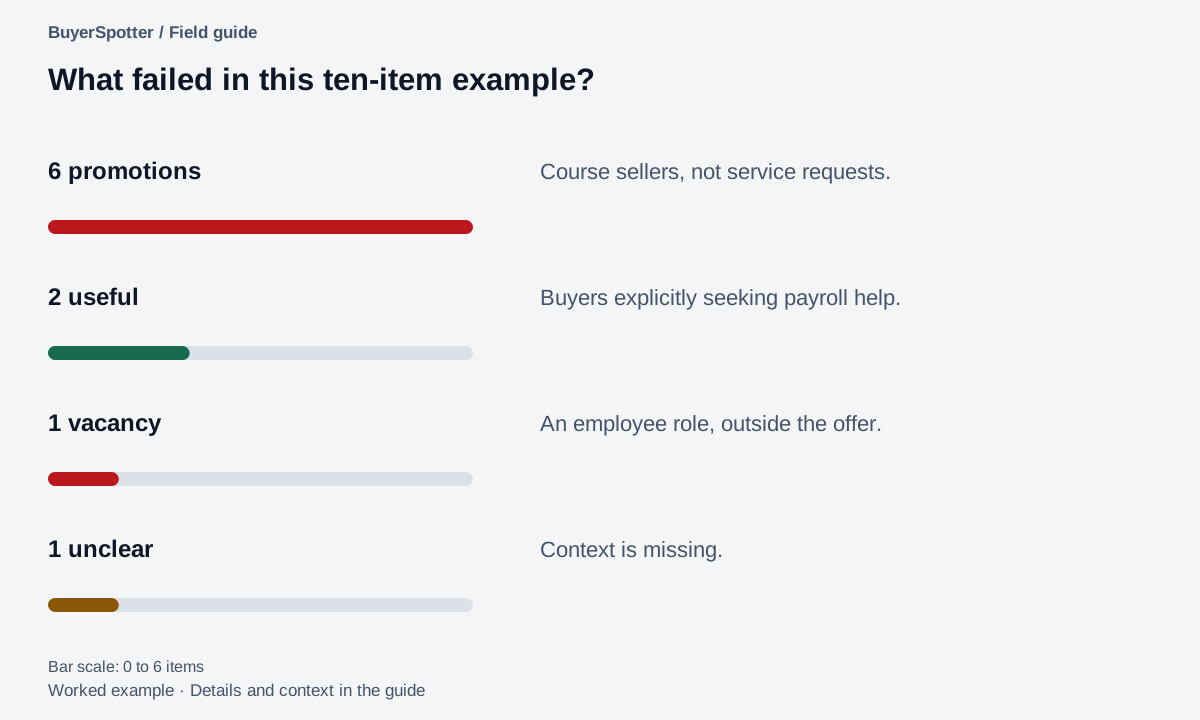
Read the example as text
- 6 promotions
- Course sellers, not service requests.
- 2 useful
- Buyers explicitly seeking payroll help.
- 1 vacancy
- An employee role, outside the offer.
- 1 unclear
- Context is missing.

Fix the layer that caused the problem
Example
A payroll specialist reviews ten matches. Six advertise payroll courses, two ask for help choosing a provider, one is a job vacancy, and one is unclear.
The recurring problem is seller content about courses. Adding a tighter buyer-request phrase is a more targeted first change than removing the entire community. The vacancy suggests a separate exclusion to test later.
These counts are illustrative. Use your own review window and retain the original posts so someone else can understand the labels.
Change one element, then compare
- Record the current source set and phrases.
- Identify the most common rejection reason.
- Make one correction to the relevant source or phrase.
- Review the next comparable sample with the same labels.
- Inspect a few original sources for requests that the new definition missed.
If several things change at once, keep the result as a new baseline. You cannot confidently attribute the improvement to one adjustment.
Keep a small collection of posts a change must preserve
Before tightening a phrase, retain several known examples in your review notes: an obvious buyer request, a useful request with unusual wording, a repeated promotion, and an ambiguous case. These are your editorial regression checks. They help you notice whether a correction solves one problem by creating another.
Example
A payroll provider adds the phrase "looking for payroll help" to reduce course promotions. That may preserve a direct request but miss "Our restaurant's payslips are wrong again. Who can sort this out?" The second post describes the problem without using the planned phrase.
Review both against the offer. If the second is relevant, preserve its language as a separate problem pattern. Do not claim that checking these few examples measures overall recall; they only show whether the change protects cases you already know.
Use the same review labels and denominator in both samples. The measurement guide shows the calculation and the separate check needed for missed requests.
Test the correction against a request it might accidentally remove
Use a small check set before trusting a quieter inbox. This is not a measurement of every missed opportunity. It is a way to catch an obvious mistake before applying a definition more broadly.
Swipe sideways for more columns, if needed.
| Fictional check case | Expected decision | Why |
|---|---|---|
| "Enroll in our payroll course" | Reject | Selling training |
| "Who can take over payroll for our restaurant?" | Keep for review | Direct request for the service |
| "Our payslips are wrong again. Who can sort this out?" | Keep for review | Problem language can express the same need |
| "We hired someone; thanks for the suggestions" | Do not approach as an open request | The current thread changes the next action |
If the revised phrase drops the payslip example, keep the broad term available for a separate problem-language search or undo the change. Record why you chose that recovery. Never claim that a narrower phrase improved quality merely because fewer results appeared.
Then review a fresh sample rather than repeatedly judging only the cases used to create the rule. Record the same time window, sources and labels. If source access failed, investigate access first; it is a different problem from irrelevant matches. Continue with the measurement worksheet to compare useful share, review effort and known misses separately.
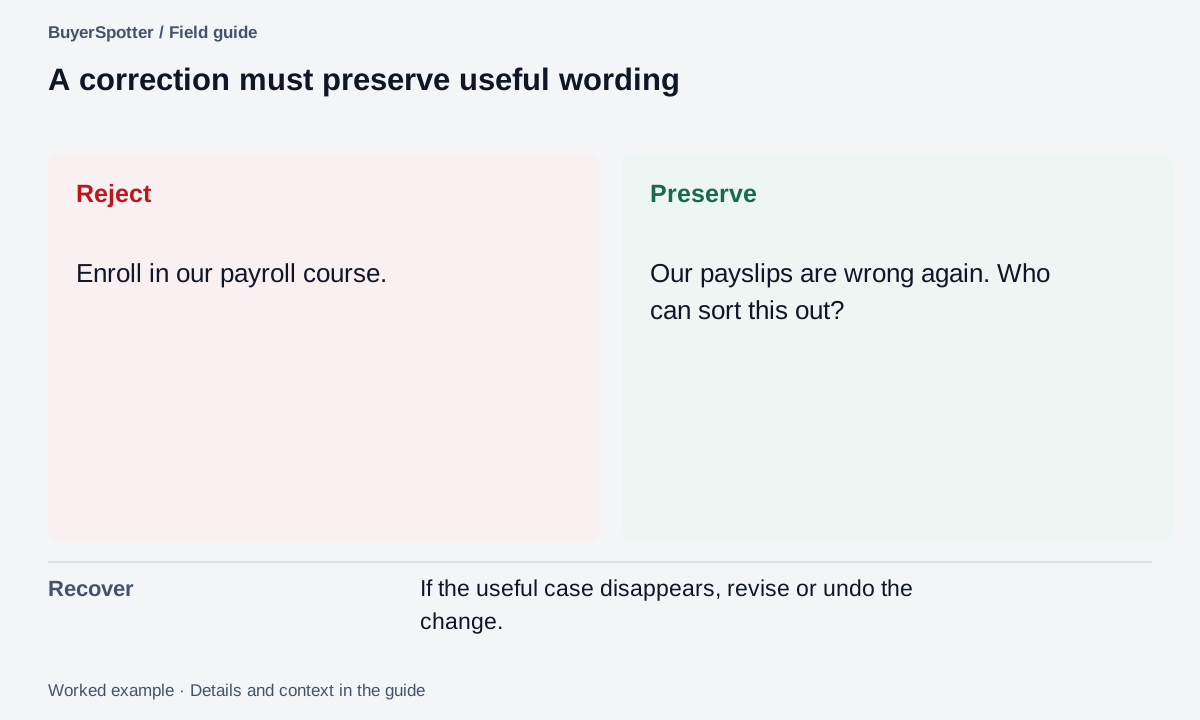
Read the example as text
- Reject
- Enroll in our payroll course.
- Preserve
- Our payslips are wrong again. Who can sort this out?
- Recover
- If the useful case disappears, revise or undo the change.
Copy a noise investigation log
Review window: [start and end]
Current sources and phrases: [record]
Match: [link]
Decision: [useful / unclear / irrelevant]
Primary failure reason: [specific reason]
Repeated pattern: [what several posts share]
One proposed change: [source or phrase]
Known useful post to protect: [link]
Next review: [date and scope]
A cleaner inbox can still miss demand
Requiring an exact phrase may remove obvious noise while excluding people who describe the problem differently. Keep a small discovery review for broader problem language. Add unfamiliar wording after seeing an actual relevant request.
There is no universal ideal alert volume. Compare review time and useful matches within your own source set. A change in source activity can explain a quieter week even when your rules have not improved.
Sources and method
Google's classification guide, reviewed 6 September 2026, explains false positives, false negatives, precision, and recall. It discusses how stricter thresholds can change the balance between missed positives and false alarms.
The post labels, example collection, and one-change review procedure here are editorial practices. They do not measure complete recall without a defined set of relevant posts. See the match-quality guide for the denominator details.
Frequently asked questions
Why am I getting so many irrelevant keyword alerts?
Usually because a phrase matches seller promotions, job ads or discussions as well as requests. Label a sample of the misses to see which pattern repeats, then fix that one cause.
Should I add exclusion words or remove a noisy community?
Start with the narrower fix. If most misses are course ads or vacancies, test an exclusion such as "hiring"; drop a source only when it rarely contains relevant requests.
How do I know if a filter change made my alerts better?
Review the next comparable sample with the same labels and denominator, and confirm that your saved examples of good requests still match. The match-quality guide shows the arithmetic.
Can BuyerSpotter filter out posts I never want?
Yes. Alongside up to 10 search phrases you can add exclusion words, and each match is graded by buyer intent so requests sort first.
Examples, sources and image method
Original worked examples and worksheets by BuyerSpotter. Requests and sample datasets are fictional. References are linked where used.