
Short answer
To monitor Facebook groups for keywords, pick the groups where your customers ask for help, write the phrases they would use, then search each group on a schedule or use a tool that does it for you. Facebook's own keyword alerts are an admin feature, so members need a manual routine or an extension such as BuyerSpotter.
Let BuyerSpotter watch your groups and searches for you. 5-day trial, no card needed.
Add to ChromeKey takeaways
- Facebook's built-in keyword alerts are for group admins; members cannot set them.
- The manual method works: search each group for 3–5 request phrases once or twice a day.
- BuyerSpotter checks up to 25 groups you belong to, public or private, as often as every 15 minutes while Chrome is open, and alerts you to matches.
- Write phrases the way buyers ask ("recommend a bookkeeper"), not the way you describe your service, and add exclusions such as "hiring".
- Always read the original thread and the group rules before replying.
The manual way: search each group for keywords
- Open a group you belong to and select the search icon inside the group (not the main Facebook search).
- Type one request phrase, such as "recommend a bookkeeper", and sort by recent posts.
- Open anything from the last day or two and read the comments to see whether it is still open.
- Repeat for each phrase and each group, once or twice a day.
This costs nothing and works well for two or three groups. It gets slow beyond that: five groups and four phrases is twenty searches per round, and requests are often answered within hours.
Choose between three groups, not three member counts
Suppose you provide bookkeeping cleanup for small retailers in North Austin. You can already open several relevant Facebook groups, but you cannot review every feed every morning. Give each candidate a job before adding it to your routine.
Worked example · fictional
Swipe sideways for more columns, if needed.
| Candidate source | What you find in the sample | Decision |
|---|---|---|
| Neighborhood business group | Owners ask who can help with business tasks; relevant professional replies are permitted by the rules you checked. | Include for this offer. Record which recent requests justified it. |
| Local retail owners' group | Retailers discuss bookkeeping problems, but you have not found a request for outside help yet. | Keep as research. Recheck before giving it the same attention as a request-heavy source. |
| Bookkeeping courses group | Most posts advertise training or discuss how to become a bookkeeper. | Leave out of this search. The category matches; the buyer situation does not. |
This table is a selection exercise, not a claim about real groups. In your version, add the exact source link, the dates you inspected, and a link to an example that supports each decision. If you cannot open a group, put it on an access-check list rather than counting it among the sources reviewed.
A busy group can be a poor source for this particular offer. An occasional source can still be useful, but it needs a different review schedule. The source-selection worksheet helps keep those decisions separate.
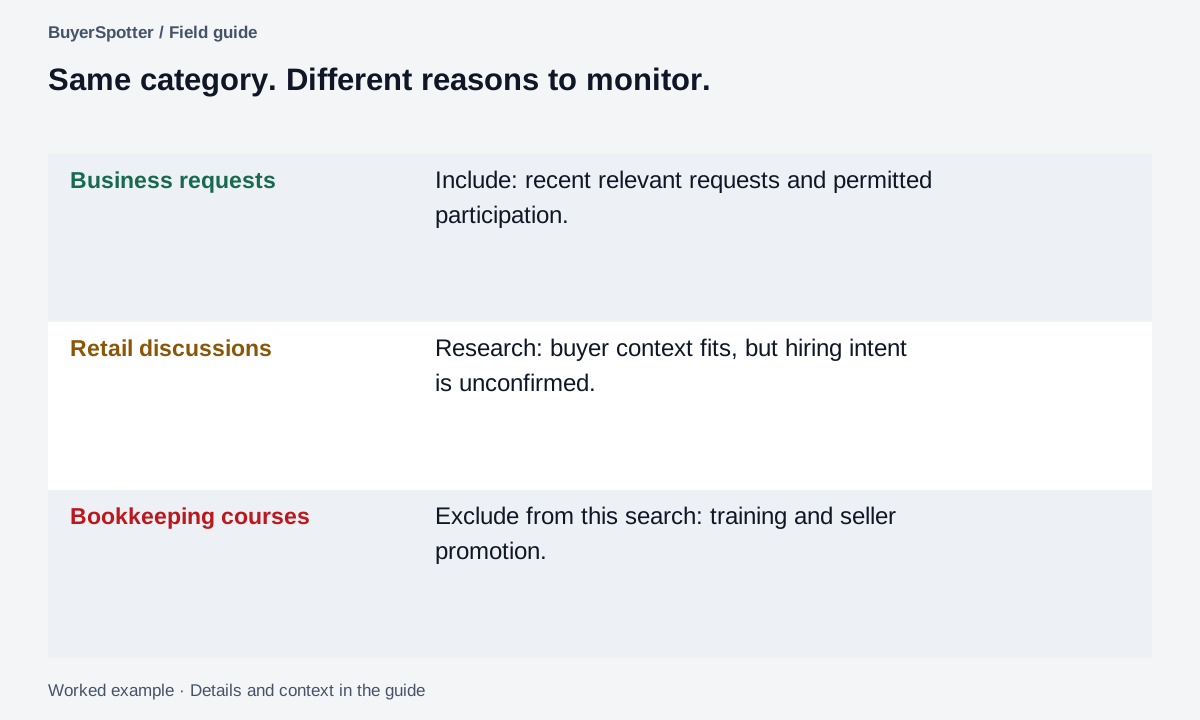
Read the example as text
- Business requests
- Include: recent relevant requests and permitted participation.
- Retail discussions
- Research: buyer context fits, but hiring intent is unconfirmed.
- Bookkeeping courses
- Exclude from this search: training and seller promotion.

The automatic way: let a Chrome extension check for you
BuyerSpotter is a Chrome extension that monitors Facebook groups, Reddit, LinkedIn, X (Twitter) and Nextdoor for posts where someone asks to buy, hire or get a recommendation, and alerts you so you can reply yourself. For Facebook it works like this:
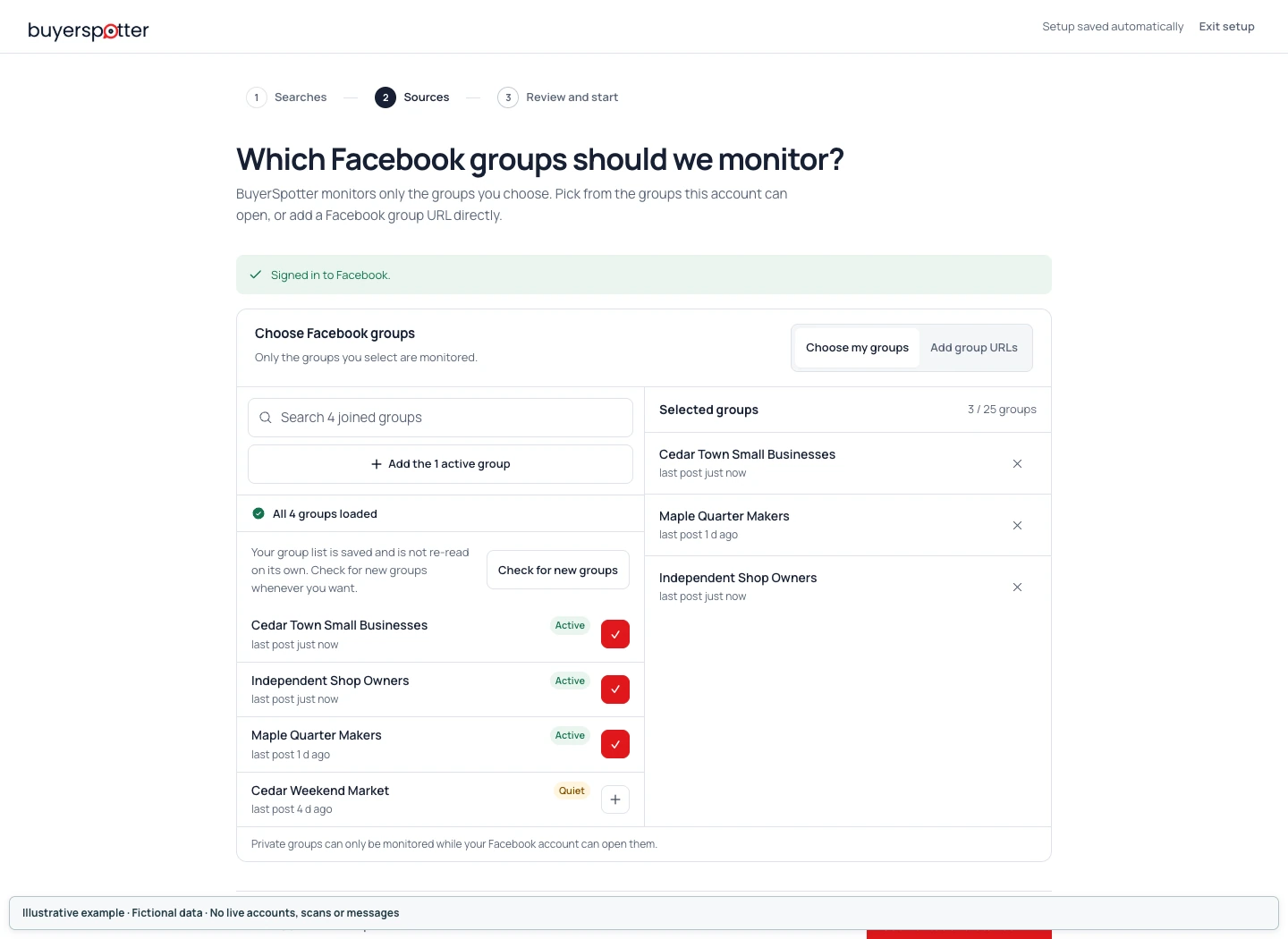
- Up to 25 groups you are a member of, public or private. No admin rights.
- Up to 10 phrases plus exclusion words.
- Checks every 15 minutes for up to 7 groups and 5 phrases, every 30 minutes for up to 15 groups, and every 45 minutes above that, while Chrome is open.
- The first scan looks back 72 hours.
- Alerts by desktop notification, Telegram or webhook; it never posts or comments.
The Facebook group monitoring tool page covers setup and limits, and the user guide shows each screen.
What group monitoring means
Facebook Group lead monitoring is a process for finding recent posts that describe a relevant need, request a recommendation, compare providers, or raise a problem your business can solve. A useful result gives you enough context to decide whether opening the conversation is worth your time.
The manual version is familiar: open a group, search a phrase, inspect the recent posts, and repeat elsewhere. Before adding software, write down which part takes the most time. Finding sources, checking weak matches, and composing a reply are different jobs.
Choose groups where your offer belongs
Begin with communities where your buyer and offer overlap. For a local service, that might mean a neighborhood or homeowner group. For a SaaS team, it might be a professional group discussing the workflow the product supports. An agency can start with an industry community whose members hire outside help.
Read recent discussions and the group's rules. Record whether commercial replies are welcome, what counts as useful participation, and which requests would be outside your scope. Member count does not answer these questions.
Use the source-selection worksheet to record why each group belongs on the list before expanding it.
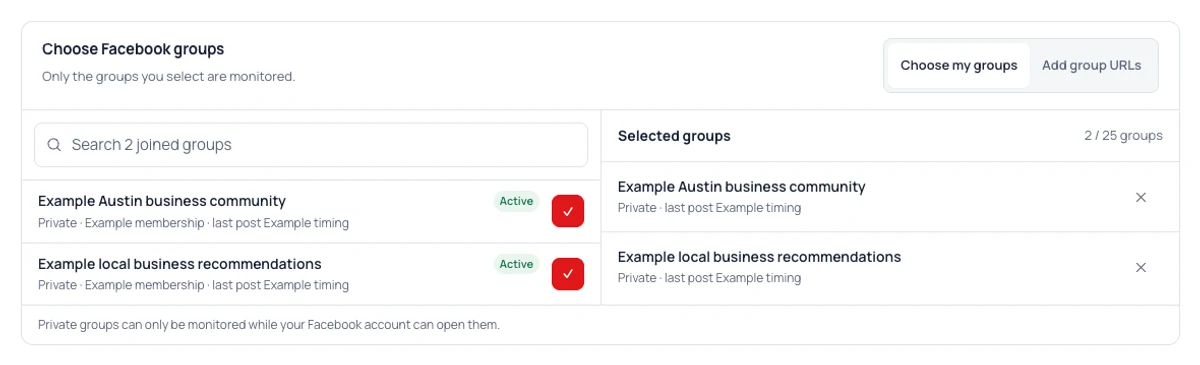
When your list is ready, follow the Facebook group selection instructions to choose those groups in BuyerSpotter and handle an incomplete group list.
Choose a small source set
Work through one request
Example
"Can anyone recommend a bookkeeper in North Austin who works with small retailers? I need help before month-end."
A retail bookkeeping service can identify the work, buyer type, location, and deadline. A personal tax adviser should not treat shared accounting vocabulary as enough. Open the full thread to check whether the author has already chosen someone.
Compare a post advertising bookkeeping courses. Similar terms appear, but the author is selling something. Record that distinction when reviewing false positives instead of excluding every post that mentions training.
Reject the close match, not just the obvious advertisement
The example offer covers outsourced retail bookkeeping in North Austin. It does not include on-site work elsewhere or a permanent employee. Apply that definition before reading the decisions.
Worked example · fictional
Swipe sideways for more columns, if needed.
| Request | Decision | Why |
|---|---|---|
| Our North Austin shop needs a bookkeeper to clean up the books before month-end. Who would you recommend? | Open for review | Service, buyer and area fit. Check the current thread and scope before responding. |
| Can anyone recommend a bookkeeper to clean up our shop's books? We need someone on-site in Dallas every week. | Reject for this offer | It is a genuine buyer request, but the stated on-site location is outside the service area. |
| Our North Austin shop needs a bookkeeper. This is a permanent employee role, not an outside service. | Reject for this offer | The area and service words fit; the engagement type does not. |
| Our books are behind again. What a week. | Keep unclear | A problem is visible. An active request for help is not established. |
A seller advertisement is another rejection case, but it is not the difficult one. The Dallas and employee requests sound useful until you read the delivery constraint. Do not remove every genuine request with an imperfect detail; leave an unanswered question visible when it could change the decision.
Then read the current comments. If an initially suitable author says "we found someone," the next action changes. If the author confirms that an outside provider is acceptable, resolve that unknown in your record. Use the opportunity checklist before any response; the initial match is not permission to contact the author.
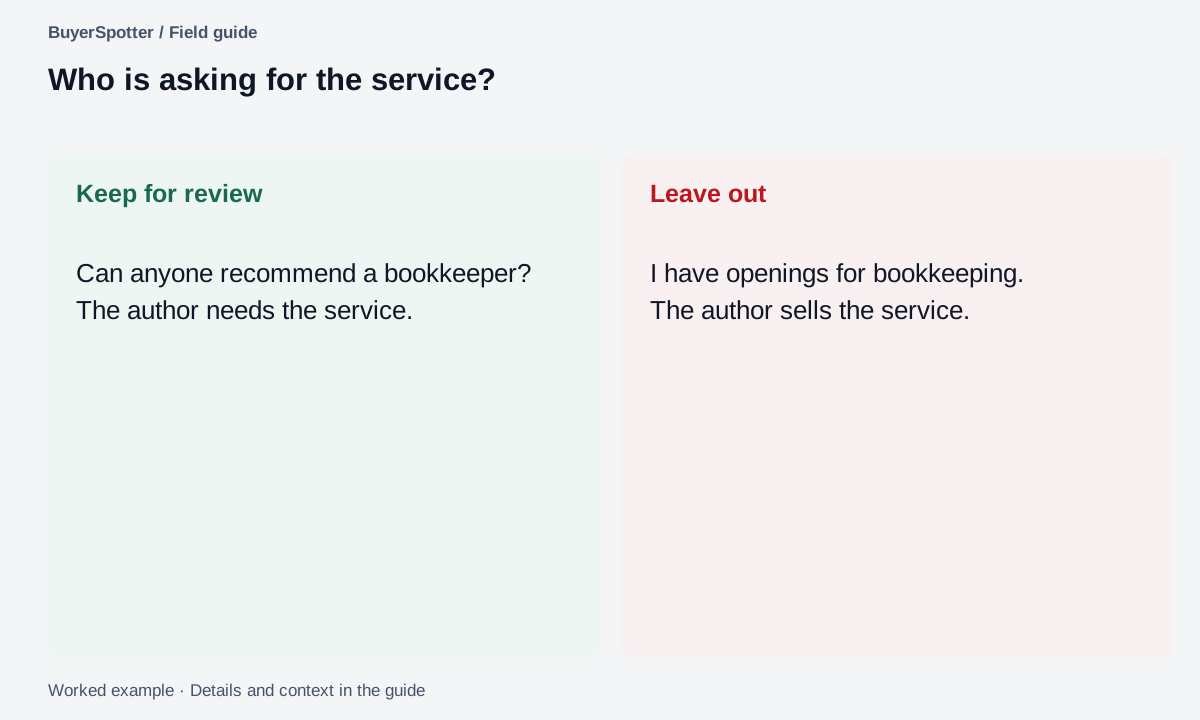
Read the example as text
- Keep for review
- Can anyone recommend a bookkeeper? The author needs the service.
- Leave out
- I have openings for bookkeeping. The author sells the service.
Run a source test before expanding the list
Choose a review period and inspect consecutive posts you can access in each candidate group. Use the same period across groups where practical. In your notes, distinguish an open request, a resolved request, a seller promotion, and an unrelated discussion. Record the links, not just the totals.
For an open request, copy the part that states the need and check the comments. A post asking for a bookkeeper may later specify that the author wants a full-time employee. That changes the result even though the original keyword still matches.
This is our suggested source-selection exercise, not a published industry benchmark. Its output is a short list of groups with an observed reason for inclusion. If a group's only useful request is already months old, keep it as occasional research until a later review establishes a stronger reason to monitor it.
Carry one source from selection to a checked request
- Record why the source belongs in the review. Use a source ID rather than copying its private posts into a shared worksheet.
- Record the exact search phrases and chosen groups. In the component reference below, the phrases are example inputs; selection is not scan completion.
- Check the installed product's Scan activity and per-source completed, failed or remaining work. Keep those states with the run date. If access fails, stop the quality calculation for that unchecked scope.
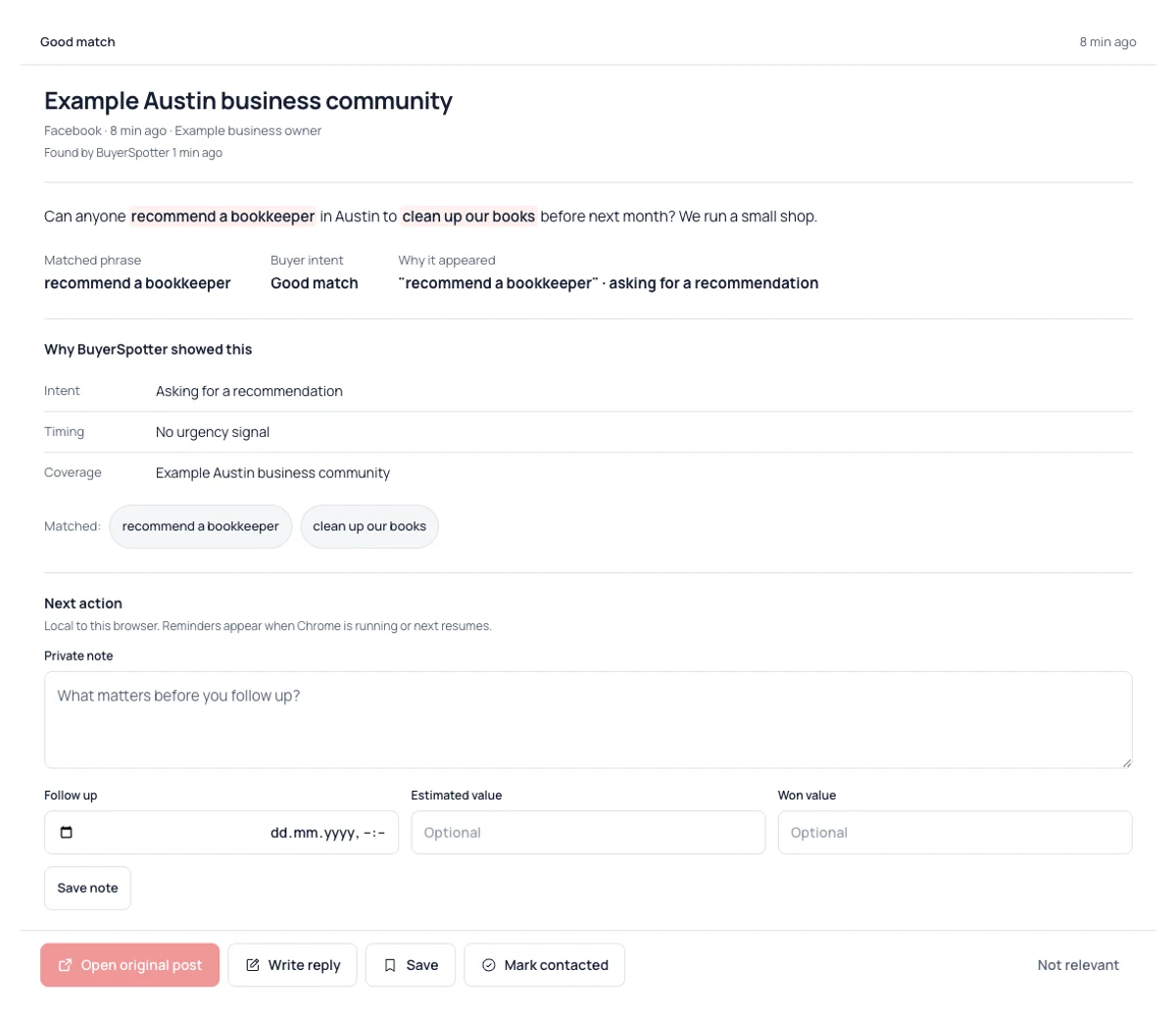
- For a surfaced request, read the wording and match reason, then open the current original thread. Record whether it is unresolved and whether the work fits.
- Save a next action only if you intend to return. Mark Contacted only after your own response was actually sent.
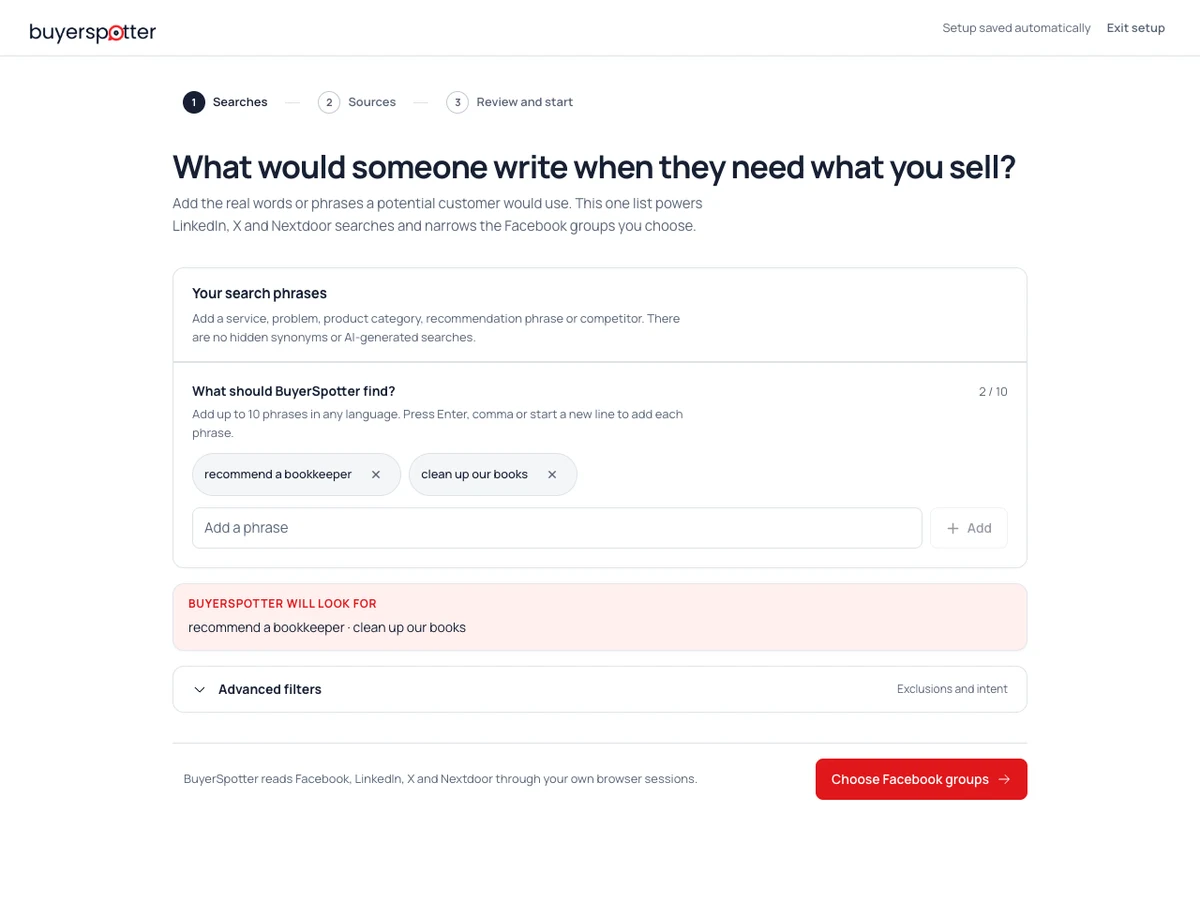
The three interface references in this guide cover source selection, phrase entry and request review. There is deliberately no successful-scan screenshot: that live evidence has not been collected. For the checks between setup and results, use the scan-state guide.
Record the phrases used for this source review
Example phrases: recommend a bookkeeper; clean up our books.
Keep a small review loop
- Describe one opportunity using the buyer's language.
- Choose a few sources you can review consistently.
- Keep the original wording, source, date, and match reason together.
- Label weak matches with the specific reason they failed.
- Check a small sample of the original sources for useful posts you missed.
Change one part of the definition at a time. That makes it possible to tell whether a tighter phrase or a different source helped.
Leave the review with a decision someone can understand
A saved link without a reason makes you repeat the research later. Keep a short record that explains the next action. It can live in your working notes; the table below is not a claim about an automatic report.
Worked example · fictional
Swipe sideways for more columns, if needed.
| Field | Filled review note |
|---|---|
| Offer | Bookkeeping cleanup for small retailers in North Austin. |
| Evidence in the request | The author asks for a bookkeeper, names the area and retail context, and states month-end timing. |
| Current thread | Needs checking before any reply. Do not infer it is still open from the initial text. |
| Unknown | Which records need cleanup, and is an outside provider acceptable? |
| Next action | Open the current thread. If it is unresolved and relevant replies are allowed, ask one scope question. |
| Outcome to record later | Clarification sent / resolved before reply / wrong scope / not contacted. |
If a source check fails, the next action changes to fixing access or recording the failure. An empty result from an unchecked source is not evidence that no one needs your service. Keep source access and request quality in different columns, then use the quality-review guide when you have a defined sample to assess.
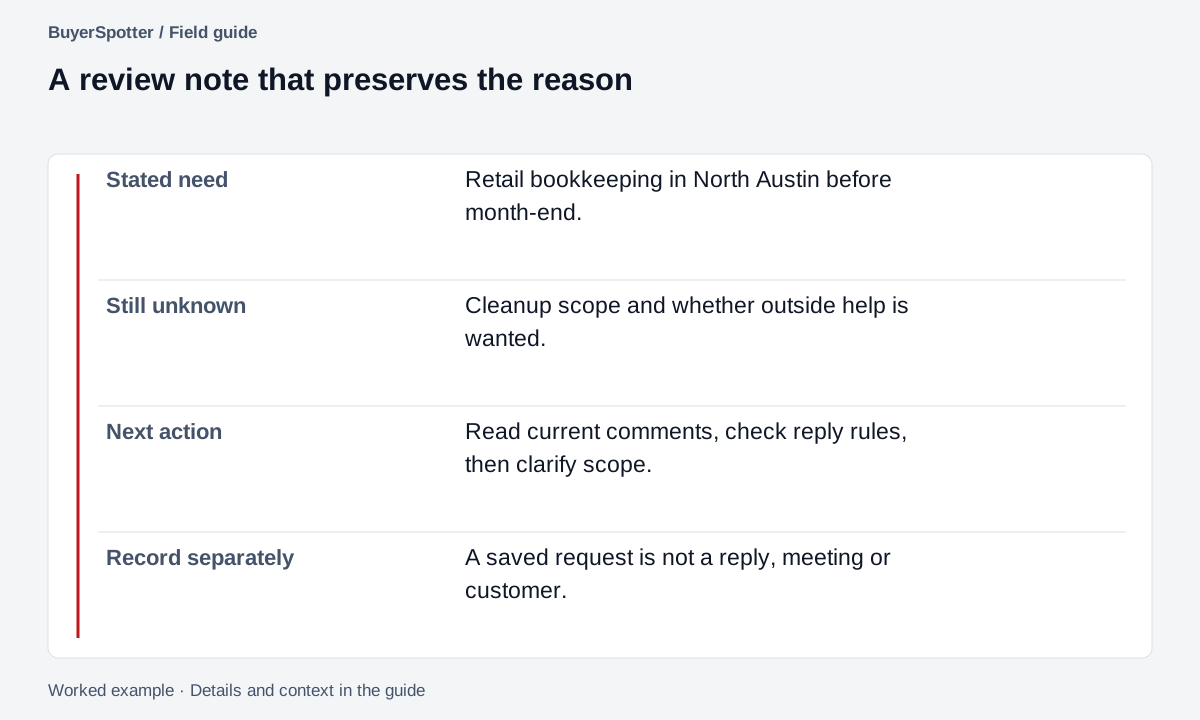
Read the example as text
- Stated need
- Retail bookkeeping in North Austin before month-end.
- Still unknown
- Cleanup scope and whether outside help is wanted.
- Next action
- Read current comments, check reply rules, then clarify scope.
- Record separately
- A saved request is not a reply, meeting or customer.
Read the match reason, then open the original
Copy a group review brief
Offer: [specific service or product]
Buyer: [who this helps]
Sources: [group names and links]
Useful request: [the situation, in ordinary words]
Required context: [location, industry, scope, or timing]
Common false positives: [observed patterns]
Reply rules: [what each community permits]
Review note: [original post, match reason, decision]
Download a blank source-review worksheet
Download source-review.csv. It contains column headings only, with no customer data or example performance numbers. It opens in spreadsheet software without an account on this site.
Use one row per source and review window. Set Access state to checked, failed, pending or not checked. Enter counts only for posts you actually reviewed; leave unavailable counts blank. Mark Reply rules checked yes, no or unclear and keep the rule reference privately. A checked source with zero useful requests and an unchecked source are different observations.
Use anonymous source IDs and keep names, post text, account details and private links outside any worksheet you share. The next guide, measuring match quality, starts only after you can state what was reviewed.
What a matching post does not prove
A post does not establish budget, buying authority, or permission to send a private message. Your account must already be able to open the source, and the community's rules still apply. A selected source is not a promise that every post will be captured.
BuyerSpotter helps organize requests from sources you choose and keeps the decision with you. Review the original conversation before replying, especially when the post is old or the author has added context in the comments.
Sources and method
Platform reference: Facebook Help: group privacy and participation, reviewed 6 September 2026. Check the group's current privacy, membership, and participation requirements. Visibility is not permission to promote, and a group's settings can affect how participation works.
The sampling exercise, fit labels, and review brief in this article are BuyerSpotter editorial practices. The examples are invented to explain the decisions; they are not recorded customer results.
Frequently asked questions
Can you get keyword notifications in Facebook groups?
Only group admins can set keyword alerts in Facebook. As a member, you can search each group by hand or use a tool such as BuyerSpotter, which checks the groups you choose and alerts you to matching posts.
How do I search a Facebook group for a keyword?
Open the group, select the search icon inside the group, type the phrase and sort by recent posts. Repeat for each phrase and each group.
Do I need to be an admin to monitor a Facebook group?
No. Any member can search a group, and BuyerSpotter needs only membership, including for private groups.
How many Facebook groups can I monitor at once?
By hand, as many as you have time for. BuyerSpotter Premium monitors up to 25 groups with up to 10 phrases.
Is monitoring Facebook groups allowed?
Reading posts in groups you belong to is normal use. Replying is governed by each group's rules, so read them before you promote anything.
Examples, sources and image method
Original worked examples and worksheets by BuyerSpotter. Requests and sample datasets are fictional. References are linked where used.
Screenshots show the real BuyerSpotter interface with fictional requests. They illustrate the controls, not a live scan. Product version 0.8.6. Screenshots show the current interface with example data.
What this guide shows, and what remains untested
This worked method uses an outsourced bookkeeper serving small retailers in North Austin. The requests are fictional so you can compare decisions without exposing private posts.
Your own evaluation needs a product version, selected source IDs, review window, scan states and a current-thread check. Keep the source-link mapping in private notes. The first-week scan checks explain what to inspect before judging results. The interface method note above explains how this guide's screenshots were made.